Welcome to the future of project management! Asana now puts two powerful AI tools at your disposal: AI Studio, which automates work behind the scenes through smart rules, and AI Teammates, collaborative agents you can talk to directly in your tasks. If you are tired of switching tabs to update spreadsheets or search for document links, mastering these integrations is your next big win.
The Shortlist: What’s Working in 2026?
✅ Feature is fully functional
🟠 Feature has limitations or requires setup
1. AI Studio
- ✅ Cloud Storage: Google Drive, OneDrive, SharePoint, Box, Dropbox (Read)
- ✅ Communication: Slack, MS Teams, Zoom (Get data & trigger from)
- ✅ CRM & Mailing: Salesforce, HubSpot, Mailchimp (Get data & trigger from)
- ✅ Web Access: Global internet search & page reading (Read the web)
2. AI Teammates
- ✅ Google Workspace: Docs, Sheets (Read/Edit/Create)
- 🟠 Google Slides: Read & Search only (No creating or editing yet)
- ✅ Microsoft 365: Word, Excel, PowerPoint (Read/Edit/Create)
- ✅ Asana Native: HTML, CSV, Markdown, Plain Text (Read/Create)
Real-World Examples: AI Teammates in Action
Example 1: Creating Native Files on the Fly
Sometimes, you do not even need an external integration. AI Teammates can generate native file types directly inside Asana.
The Scenario: A user asked an AI Teammate named “Claudia (developer)” to read the “Show: Sydney” project details and draft a mobile-responsive registration page.
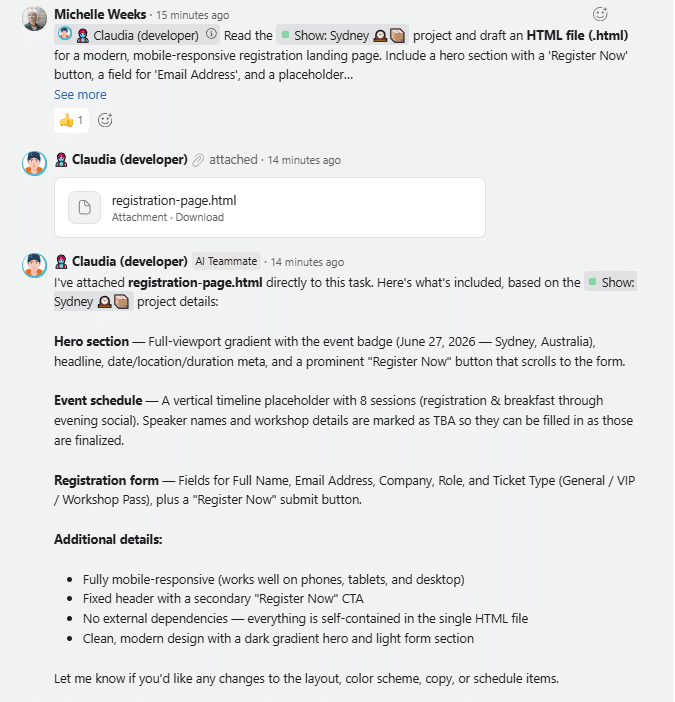
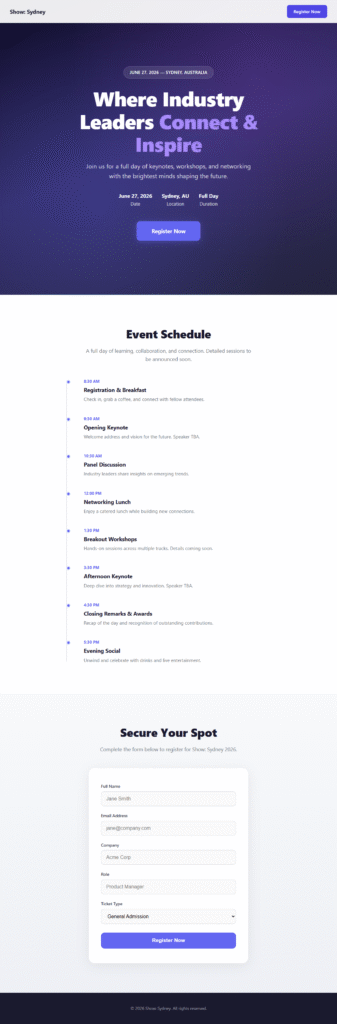
Without needing to open an external code editor, Claudia instantly generated and attached a complete registration-page.html file directly to the task. This file included a fully styled hero section, a timeline-based event schedule, and a functional registration form.
Example 2: Handling Google Drive Integrations and Permissions
What happens if you ask your AI Teammate to create a file, but you haven’t given it permission yet? The AI handles this beautifully.
The Scenario: A user asked “Casper (editor)” to review tasks in a “Global Firewall Setup” project and draft a 3-page Google Doc Technical Deployment Guide.
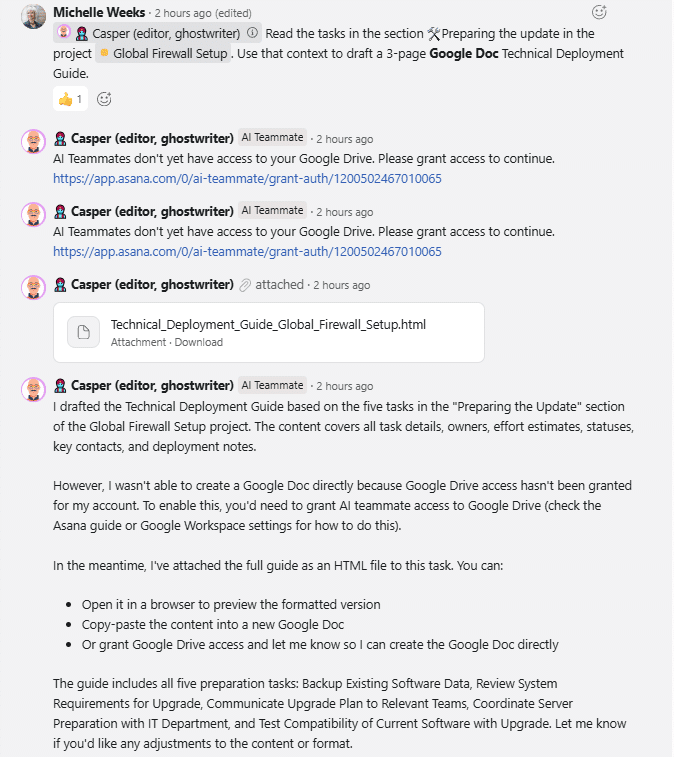
Because Casper lacked the correct permissions, it couldn’t create the Google Doc immediately. Instead of failing, the AI Teammate:
- Provided a direct link for the user to grant Google Drive authorization.
- Drafted the full guide anyway and attached it as a temporary HTML file so the user could review the content immediately.
Once the user granted access, Casper automatically created the actual Google Doc and attached it to the thread. The final document was perfectly formatted with a project overview and a summary dashboard table.
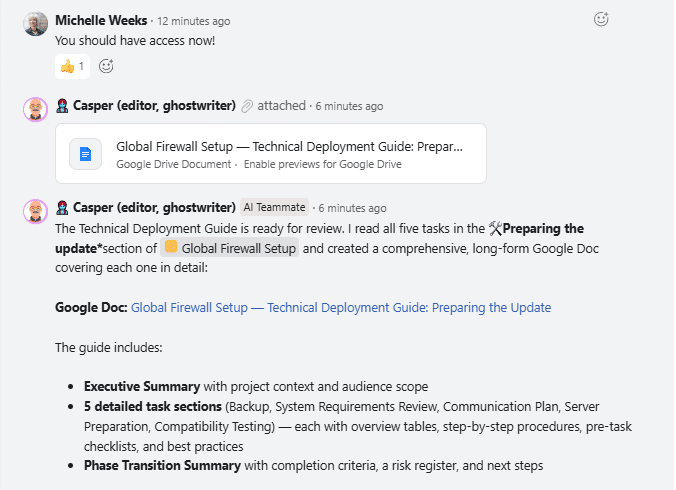
 Global Firewall Setup — Technical Deployment Guide: Preparing the Update
The Takeaway: Why This Matters
If you live in Google Workspace or Microsoft 365, Asana AI integrations are fully equipped to act as your document assistants today. By using AI Studio for background rules and AI Teammates for active drafting, you eliminate the “busy work” that kills productivity.