
Initially I wanted to name that newsletter “You don’t need more AI, you need more GIFs”, but this would have been too controversial 🤣. Nevertheless, this month I want to talk about colors, emojis, GIFs, flying unicorns in Asana, and why those things matter and why you should not ignore them.
5 Asana tips & news
🎨 Too many colors, not enough meaning. Asana gives you a small fixed palette for projects and custom fields, but it doesn’t mean that you need colors everywhere. For example, most drop-down fields do not need any color for the options. Alternatively, use emojis to convey a meaning without having the full colored pill.
😺 Build a tiny emoji language. Emojis in Asana work best when they mean something (for example: 🐢 slow to response, 🚀 hot priority, 🧪 experiment). Use them in project names, section titles and key tasks so people can scan a page and instantly know the vibe.
🦄 Tuning the unicorn chaos. Some teams love flying creatures, some feel personally attacked by a rainbow sprinting across their screen five times a day. Users can go into their profile settings (“Display” > “Show occasional celebrations”) to disable those flying creature, but there is no official way to disable them for the whole org (there might be a hidden way, email me if you want to find out).
⌨️ Tab V. Just try this keyboard shortcuts 🙂
🖼 Backgrounds. For as long as I can remember, you could pick a background in Asana profile settings. The only location where they show up is the board view of a project.
😆 You need more GIFs in your life
You know what your workday is missing? GIFs.
Not “corporate-approved stock photo smiles,” but actual emotion. The kind of GIF that says:
“God this task was hard, I am so happy I am done.”
Because work can be fun.
And the right GIF at the right time? That’s culture.
That’s how teams bond, how morale rises, how we avoid crying silently into our coffee.
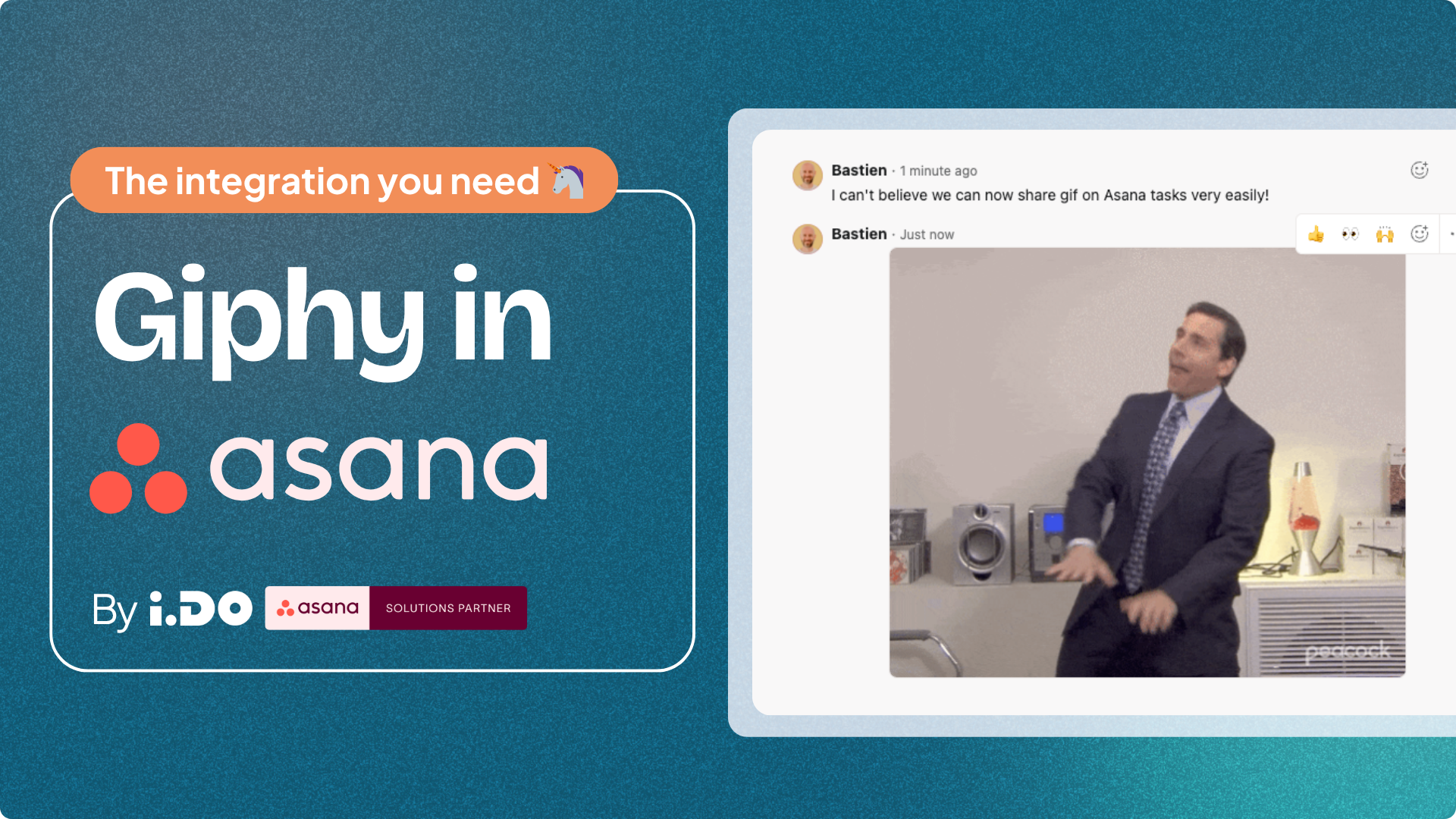
So the i.DO team built the thing you didn’t even know you needed: GIPHY directly inside Asana.
Here’s how it works:
- In your favorite project, open Customize > Apps > Search for “Giphy”. Go through the installation process.
- Then open a task like the responsible adult you are.
- Click the integration button below the custom fields.
- Type a mood, a vibe, or whatever chaos is in your head (“celebration”, “Monday”, “I tried”).
- Boom: the perfect GIF is posted as a comment.
No tab-switching. No copy-paste gymnastics. Just ✨ emotional clarity ✨.
I’ve been using it nonstop.
Let’s pray your company doesn’t ban it.
(If they do, tell them it’s “team alignment through multimedia emotional expression.” They love that stuff.)
🧙♂️ Asana geek riddle
You want to be in the shoes of an Asana consultant for a minute? Here’s a real example from a session:
🎙️ “What can we do to convince you to add a Meme generator inside your Giphy integration?”
🤔🤨🧐
🎓 Simply ask by sending an email 🙂
🧑🌾💂🧑🚒 Job hunt
Looking to hire someone with Asana skills, or looking for a job needing Asana skills? I am testing this new job hunt section!
i.DO
We are still looking for a French+English speaking Asana consultant based in a US-friendly timezone to join our team. If you know Asana well (at least Advanced plan) and have experience being a consultant or champion + more than 15h/week availability, apply now!
—
Email me if you want to appear in this section, whether you are hiring for Asana talent or looking for a position.
🎙️ My opinion on…
…cleaning up versus doing priority tasks.
I believe I use Asana differently than most people. For me, clarity is the highest priority.
Everyone has top priorities, a couple of urgent tasks, and then the lower priority ones. On top of that, you usually have an email inbox and Asana to clear, Slack channels to read. I often spend time cleaning up emails, triaging tasks and reading Slack instead of jumping straight into my top priorities.
Here’s why: if you only focus on your top priorities, there will always be another one waiting, and then another one, and then another one. It never ends. Which means you never work on clarity, you never clean up, you never triage. You’re always chasing the next urgent thing, always in the dark.
By treating clarity as the top priority, I make sure everything is clean and under control. When I work on a top priority, I know it is truly the top one. I know what’s coming next. I know I’ve replied to my team and no one is waiting on me. That way, I can focus fully on the task at hand.
This is how I keep an empty email inbox, an empty Asana inbox, and a clear task list: by putting clarity first.
PS: in some cases, you don’t have a choice, you need to dive head first into a top priority, even if you clarity takes a hit.