The Asana October 2025 updates bring powerful improvements across automation, workflow continuity, security, insights, and visuals. From AI-powered rule suggestions to reference custom fields and enhanced admin controls, this month’s release helps teams work smarter—complete with practical i.DO tips throughout.
1- Smarter Automation
🤖 AI rule suggestions
Get personalized automation recommendations right inside your projects, including AI-powered rules that can handle entire processes for you.
💙 i.DO Tip: To turn OFF these suggestions, in your admin console, go “Settings”, then “AI Settings” and “Proactive AI”.
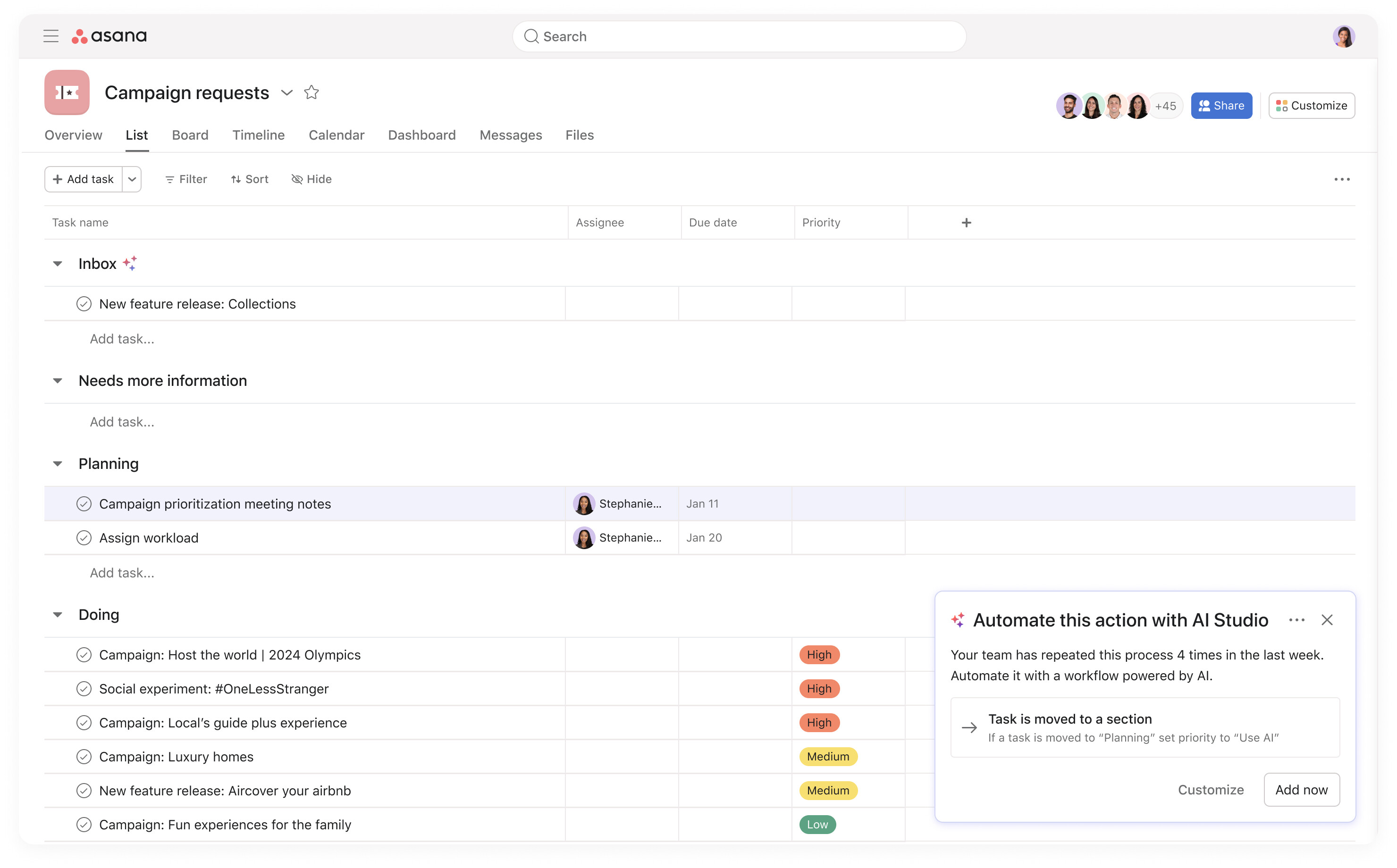
🧩 AI auto-names rules
When creating a new rule, if you don’t name it yourself, a language model now automatically generates a descriptive name.
🔁 Relative date triggers for subtasks
Now you can apply time-based triggers to both tasks and subtasks, including support for date custom fields.
Did you know?
As an Asana AI Studio Certified Partner, i.DO helps teams like yours activate, customize, and optimize AI Studio to get real business results faster.
👉 Right now, you can get an exclusive 10% discount on activation when you partner with us.
2- Workflow Continuity
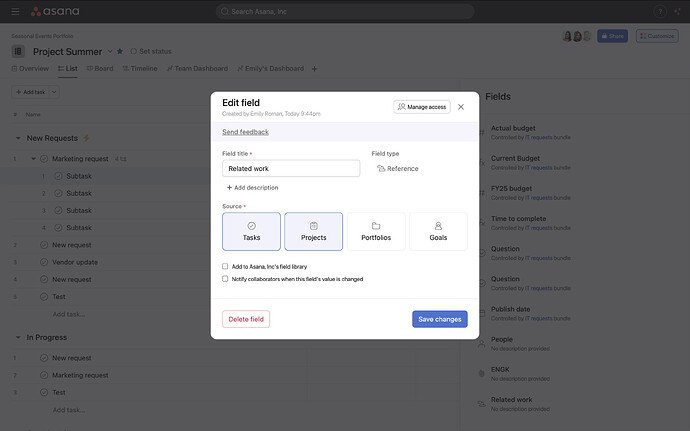
💫Reference custom fields
Attach tasks, projects, portfolios, and goals as field values on tasks, projects, and portfolios to make relationships visible and ready for automation and reporting.
💙 i.DO Tip: At i.DO, we’ve started using it to associate certain tasks to contacts (we have a dedicated project with our list of contacts).
🔄 Rule ownership transfer
Transfer ownership of any rule to another user to ensure smooth continuity when roles change and notifications stay accurate.
💙 i.DO Tip: The new owner of the rule must retrieve the property themselves, in the rule settings (top right).
🧑💻 Script rule ownership and editing
Project editors can now view script rule details, claim ownership, and update scripts so workflows continue even when the original owner changes.
💙 i.DO Tip: Before a team member leaves a project, always claim ownership of their rules, especially if there are script actions involved.
3- Security & Control
🧱 Enhanced password requirements and admin controls
All users must now create passwords with at least eight characters, avoiding known compromised ones. Admins can enforce up to 20 characters for extra protection.
🎥 Did you miss our recent Asana webinars?
Watch the replays anytime and learn how to make your workflows even smarter with i.DO.
4- Goals & Insights (Advanced plan)
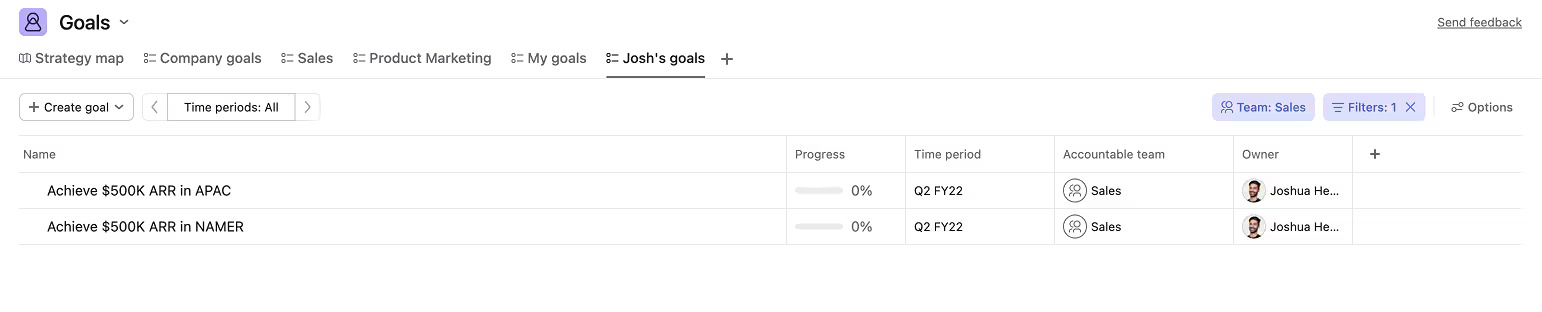
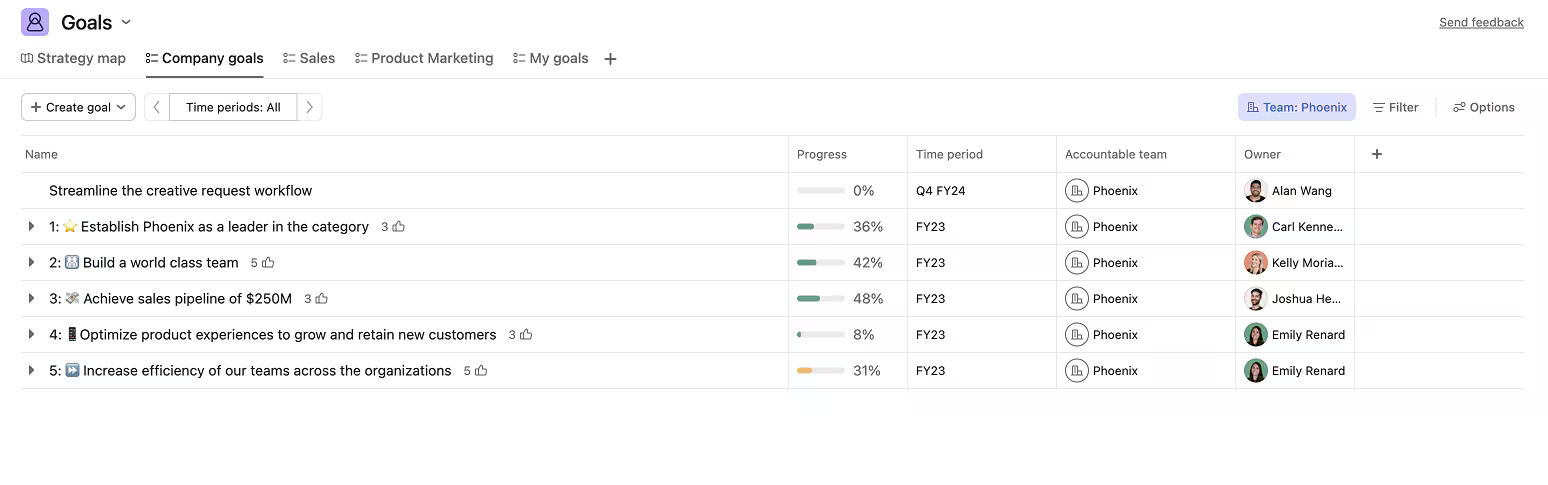
📊 Goals saved views and grid view
You can now create personal saved views for goals and visualize them in a grid layout, just like projects and portfolios.
💙 i.DO Tip: Use different tabs to leverage the views’ filters (Team, Owner, Status)
⏱️Time entry editing permissions
Users can no longer edit other people’s time entries, ensuring records remain accurate and approvals are easy to manage.
5- Visual Refresh
️🌈 Chart color update
Charts now use a refreshed color palette designed for better visual consistency across dashboards.
Why Work with i.DO?
✅ We’re certified Asana AI Studio partners
✅ We help you configure and optimize every new feature
✅ Get 10% off AI Studio activation when you work with us
📞 Contact us today to unlock the full power of Asana AI and automation in your workspace.
See the original version to our newsletter below.
Unlock the full potential of your Asana licenses with the help of i.DO. Enjoy all our additional benefits: unlimited support, expert content, live Q&A sessions, and much more. Click here to learn more about it!