
Discover what’s new in Asana this November 2025: the Timesheets & Budgets add-on for time and cost tracking, AI Teammates in beta, and multiple UI, mobile, automation, and reporting improvements to help teams work more efficiently and with greater visibility.
1- New Add-on in Asana: “Timesheets & Budgets”
⏰ Time, Cost, and Clarity in One Add-On
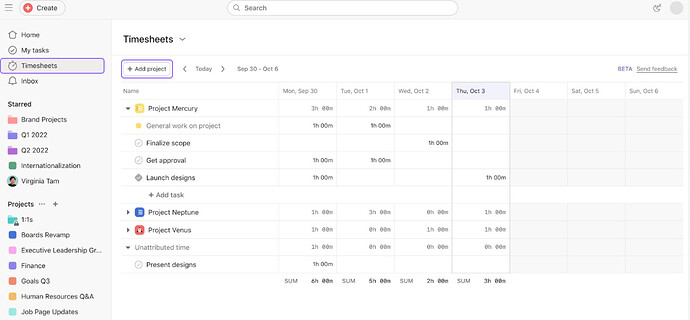
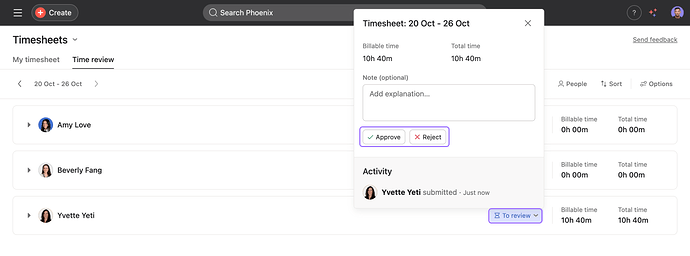
Asana has just released the Timesheets & Budgets add-on, a powerful upgrade for teams that need accurate time tracking and cost control. With this new feature, you can complete and submit timesheets, plan and monitor project budgets & set user rates.
The add-on also enhances reporting, resource management views, and mobile time tracking, giving teams visibility into time, cost, and capacity. Admins can customize how Timesheets & Budgets works across the organization.
3- UI & Notifications
🧩 Mention Alerts in Descriptions
Get notified whenever someone @mentions you inside a task description.
💙 i.DO Tip: Turn this into a team habit: encourage tagging descriptions for better context.
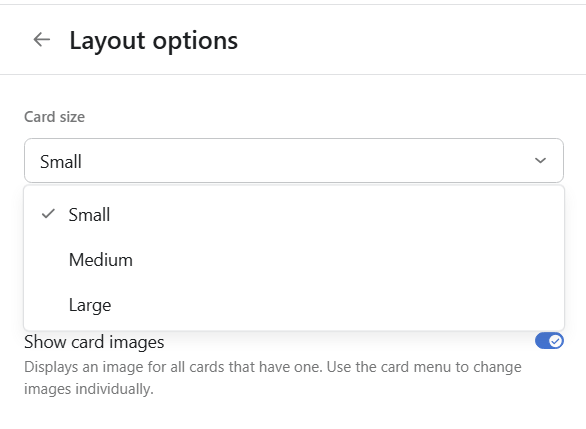
📏 Adjustable Card Size in Board View
You can now switch card size (small/medium/large) in Board View across projects and My Tasks for faster scanning.
4- Mobile Improvements
📝 Notes Tab on iOS
Capture quick thoughts directly inside projects and My Tasks on iOS.
🔁 Merge Duplicates on iOS
You can now merge duplicate tasks or unmark duplicates directly from your iPhone.
📚 Saved Tabs on Android
Android users can now view all custom tabs for projects and switch between them with ease.
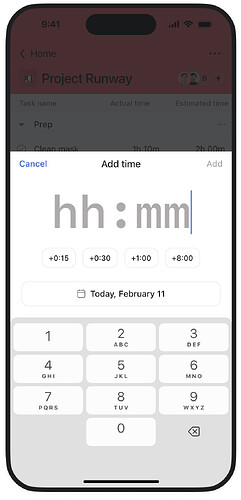
⏲️ Mobile Time Tracking
Log estimated and actual time on the go directly from your mobile.
🧠 Multi-select Field Typeahead
Easily find the right option in multi-select fields, type to search even with huge field lists.
💙 i.DO Tip: (Reminder) 500 is the maximum number of options in a single- or multi-select field
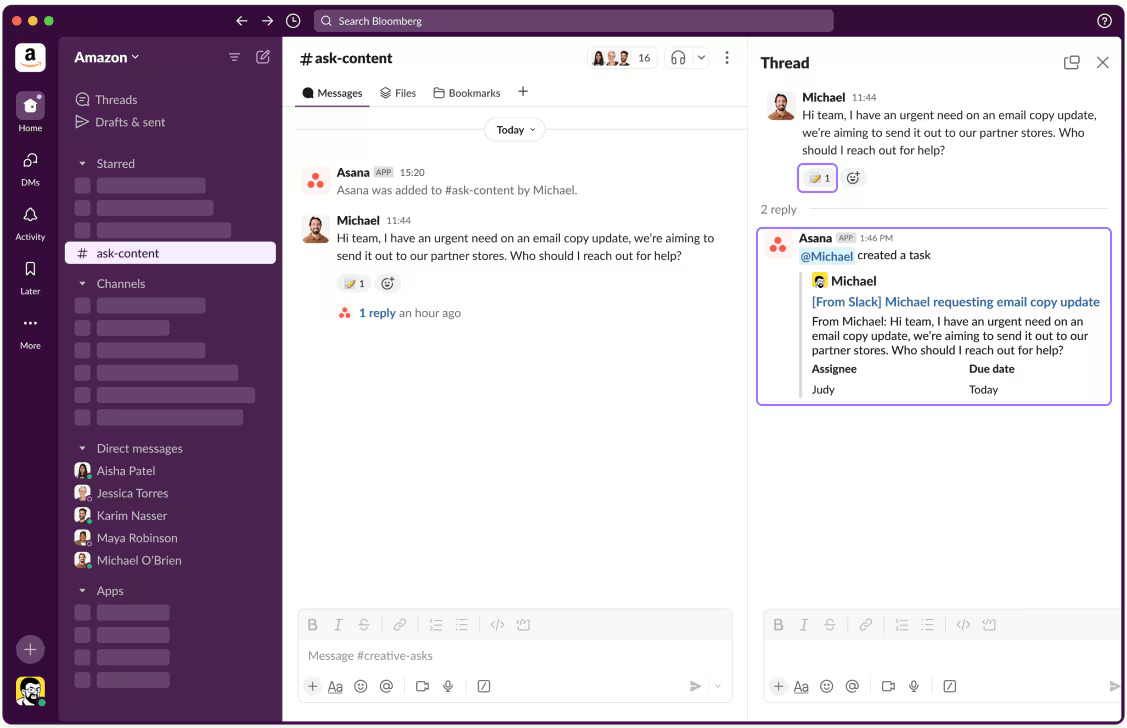
💬 Create Tasks from Slack
React to any Slack message with the 📝 emoji (in channels where the Slackbot is added) to instantly create a task.
6- Automation, Reporting & Admin Controls
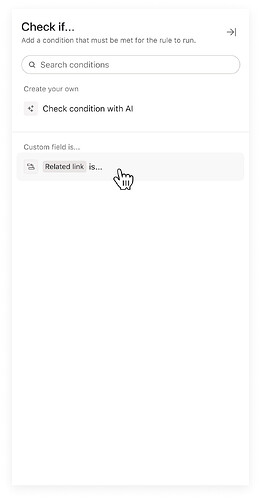
️💬 Reference Custom Fields in Rules
You can now use reference custom fields inside triggers and conditions to refine automation.
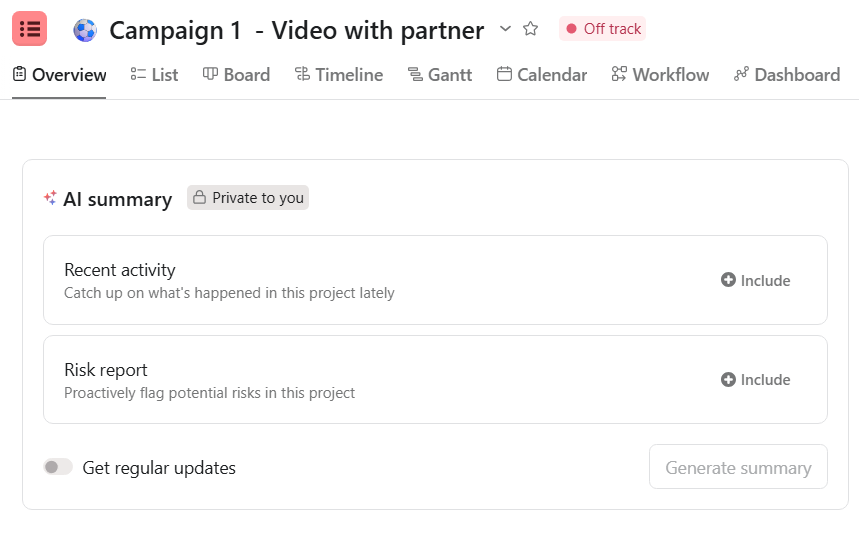
📊 Risk Reports in Smart Summaries
Instantly identify risks inside your projects and receive mitigation suggestions before they escalate.
💙 i.DO Tip: Add a weekly risk review step to your rituals, it’s like having a project radar built in.
🔐 Privacy Defaults for Goals & Portfolios (Enterprise)
Admins can preset the default privacy state for new goals or portfolios.