Discover Asana’s June 2026 updates, including Microsoft sign in, status update templates, script actions in portfolio rules, new subtask filters, live editing, and Slack channel controls.
1. Sign in and reporting
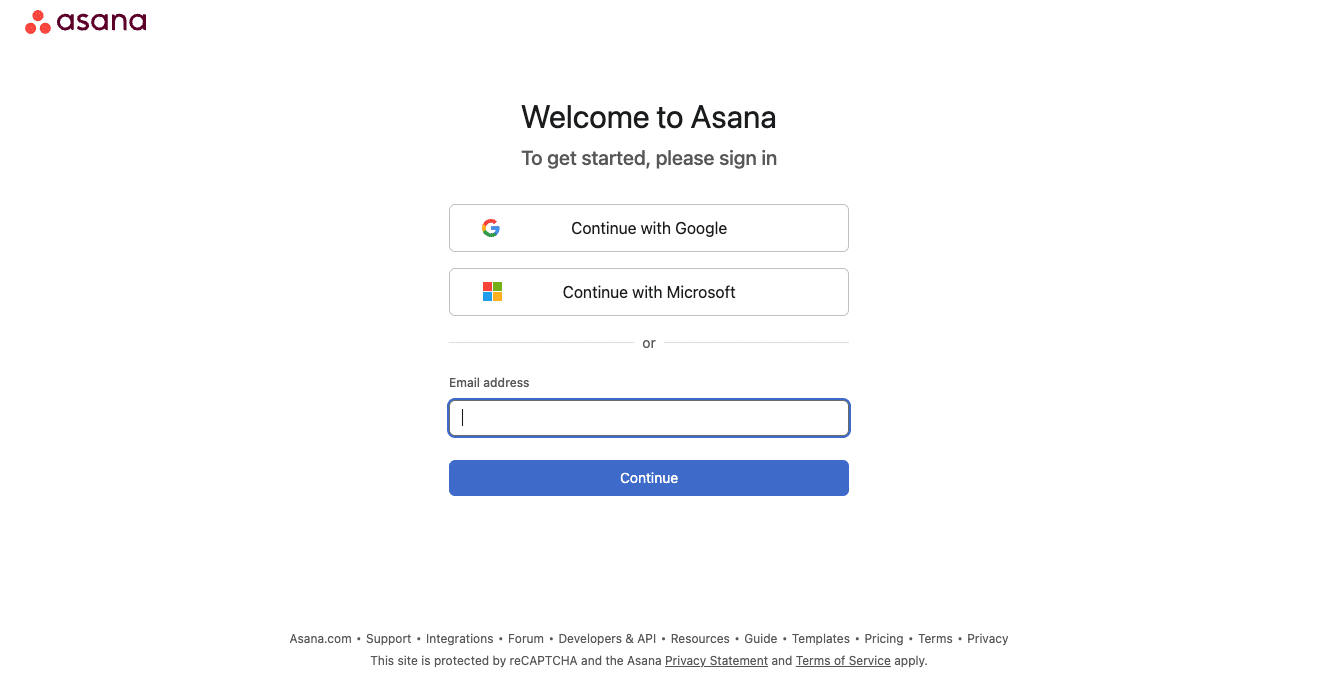
🌴 Sign in to Asana with Microsoft
You can now sign in with your Microsoft account, the same way you already could with Google. Works even without company wide SSO.
💙 i.DO Tip: Using Microsoft for identity already? Ask your admin about full SSO for smoother onboarding.
📨 Status update templates, now fully live
Officially available: build reusable status update templates, save any status as one, and draft updates with AI.
💙 i.DO Tip: One template per audience, client facing, internal, executive, keeps updates consistent.
👤 Script actions, now in portfolio rules too
Portfolio rules can now trigger scripts, the same capability project rules already had. Find it at the bottom of the actions list.
💙 i.DO Tip: Already scripting project rules? See which ones are worth replicating at portfolio level.
🚀 Who answers your questions after go-live?
You know the situation: go-live is behind you, your teams are up and running… and that’s when the real needs begin.
New joiners to onboard, processes that keep evolving. That’s exactly why we created i.DO Ongoing Support.
A 12-month pool of expert hours you can use however you need: live sessions, workshops, integrations, plus unlimited asynchronous support directly in your Asana workspace. And on top of that, you also get access to our i.DO Tools and our exclusive library of resources.
Three support levels are available, starting at USD 2,880/year for i.DO license clients (including a 20% discount).
2. Focus and collaboration
🧩 New filters for the subtask list
Filter the subtask list by assignee, due date, or custom field, right inside the parent task.
💙 i.DO Tip: Great for standups. Filter subtasks assigned to you across every project in seconds.
🔐 Pages and descriptions, now editable together
Multiple people can now edit a Page or task description at the same time, live, like a shared doc.
💙 i.DO Tip: Great for meeting notes. Let the whole team add updates during the call instead of after.
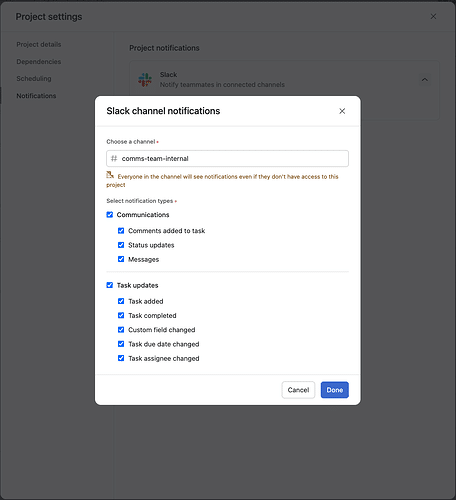
💬 Choose what your Slack channels receive
Pick which Asana updates post to each Slack channel, instead of getting everything or nothing.
💙 i.DO Tip: Keep client channels quiet. Route noisy automation alerts to internal channels only.