
Intelligent automation transforms how operations teams function. Teams today launch too many projects simultaneously. They get bogged down by repetitive manual tasks, struggle with project visibility, and suffer from meetings without actionable follow-ups. Jumping straight into AI seems like the obvious fix. A rushed setup in Asana often drains your AI credits and creates complex errors that take hours to untangle.
At i.DO, we have guided hundreds of clients through this exact chaos. From manufacturing firms to media agencies and professional services, the hurdles remain consistent. We bring proven strategies, not just ideas. It’s not about just selling tools but guiding you on the right path.
This concise, field-tested playbook provides the exact steps for deploying AI Studio without burning credits or your team’s patience.
[TL;DR: Executive Summary]
Large Language Models (LLM) and AI assistants require a rigorous framework to deliver concrete ROI, such as fewer meetings, more visibility, and optimized workflows. Focus your deployment on these core principles:
- Process precedes the tool: map your workflows visually before building anything
- The right engine for the right task: combine Asana Rules, AI Studio, and Script Action to maximize operational efficiency
Strict resource management: forecast your credit consumption and test at volume to prevent automation loops.
Step 1: Define the Problem and Map Your Workflow
Do not start with the tool. Start with the process.
Pick a workflow that is manual, repetitive, and high-volume, such as intake triage, vendor assignment or request routing. Map it visually with process owners, identifying every decision point, exception, and handoff. Do not open Asana until the map is complete. Skipping this step means automations that break at the first edge case.
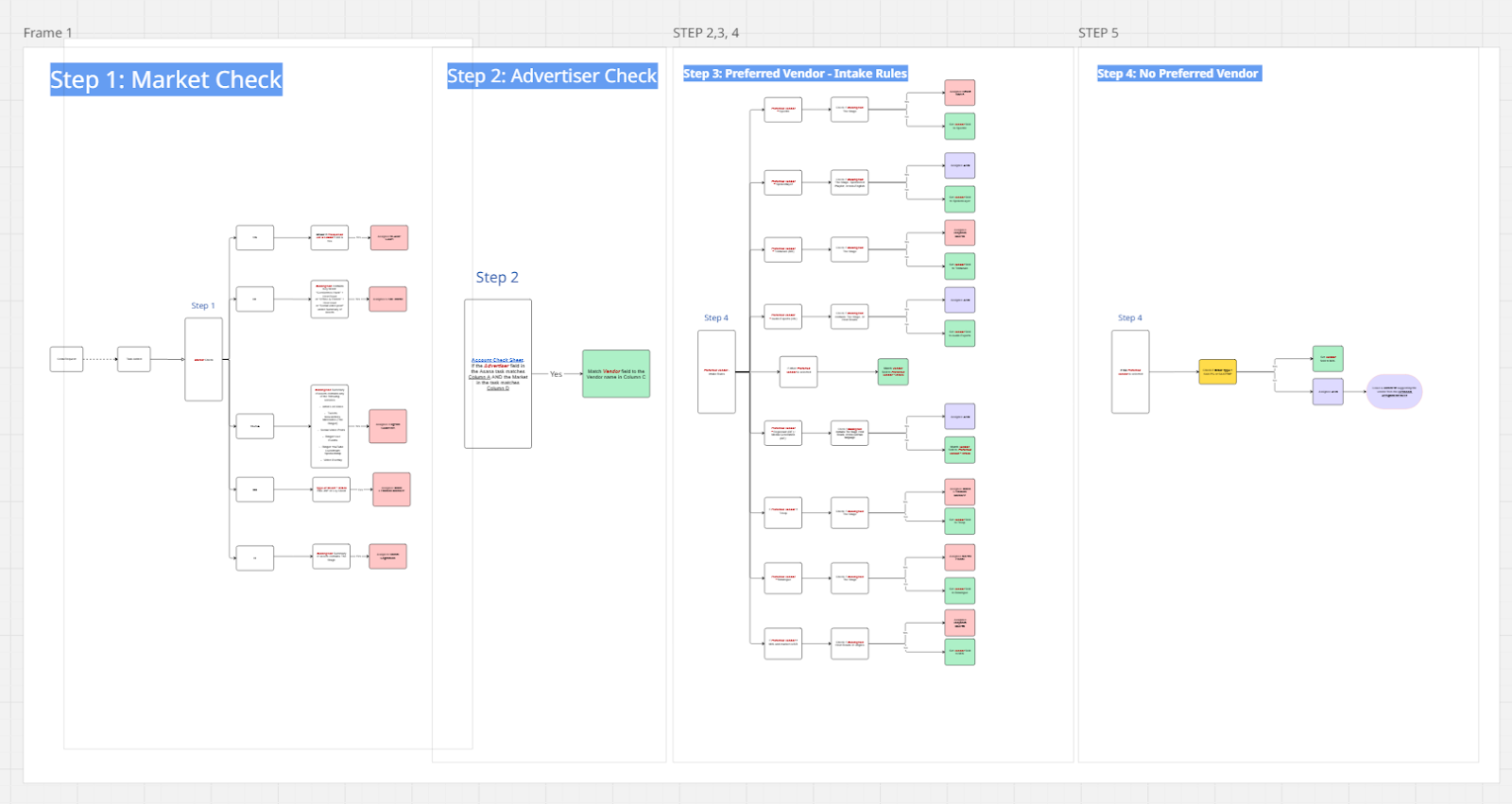
Mapping Example showing Market Check and Advertiser Check
Step 2: Document the Logic in Docs or Sheets
Write the decision logic in plain language before building anything. Frame it simply:”If request is from market X and budget below Y, assign vendor Z”. Cover every branch and exception. This forces your team to confront ambiguity and standardize. AI Studio will re-use those documents as a source of truth.
Expert Tip: Use Google Drive or SharePoint to store documents that integrate with AI Studio. Your team can update them directly from your cloud without having to enter the AI Studio rule builder.
Step 3: Choose AI vs Script for Intelligent Automation
Not every step needs AI. You have 3 specific solutions for your automation steps:
Asana Rules (all plans): use this for predictable, if/then logic like routing, field updates, status changes and notifications. No code, zero credits.
AI Studio (AI Studio plans): reserve this for interpretation, pattern matching, or complex reasoning across many variables. Examples: categorizing free-text requests, matching tasks against large vendor/market matrices.
Script Actions (Enterprise only): Deploy this custom logic for advanced calculations, nested conditions or data formatting. It is fast, precise and consumes zero AI credits.
The most powerful workflows combine all three. Use a custom field like “Step (AI)” to chain these actions in a precise sequence: let a standard rule handle the initial trigger, use a script for data formatting, and only call AI for the complex reasoning. This specific layering maximizes your operational efficiency.
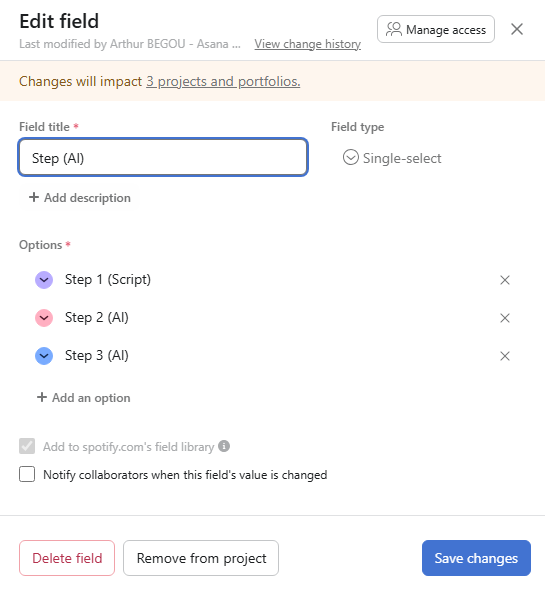
Custom Field Configuration for “Step (AI)”
Step 4: Forecast Your AI Studio Credit Sustainably
Credits are finite. Plan before you build. One team burned over 4 million credits in a single month from missing conditions. Create a spreadsheet outlining one row per AI rule. Track the model, cost per execution, expected volume, and total. Compare this against your quarterly allocation
Click here to access a the Credit Calculator template (Make a copy to use)
Step 5: Optimize Active Credit Consumption
Test immediate action to reduce your AI overhead. Test lighter AI models for simpler steps. Add tight conditions to every rule (e.g.,”Task moved to section X AND field Y is empty”). Replace AI with Scripts wherever possible to keep your consumption lean.
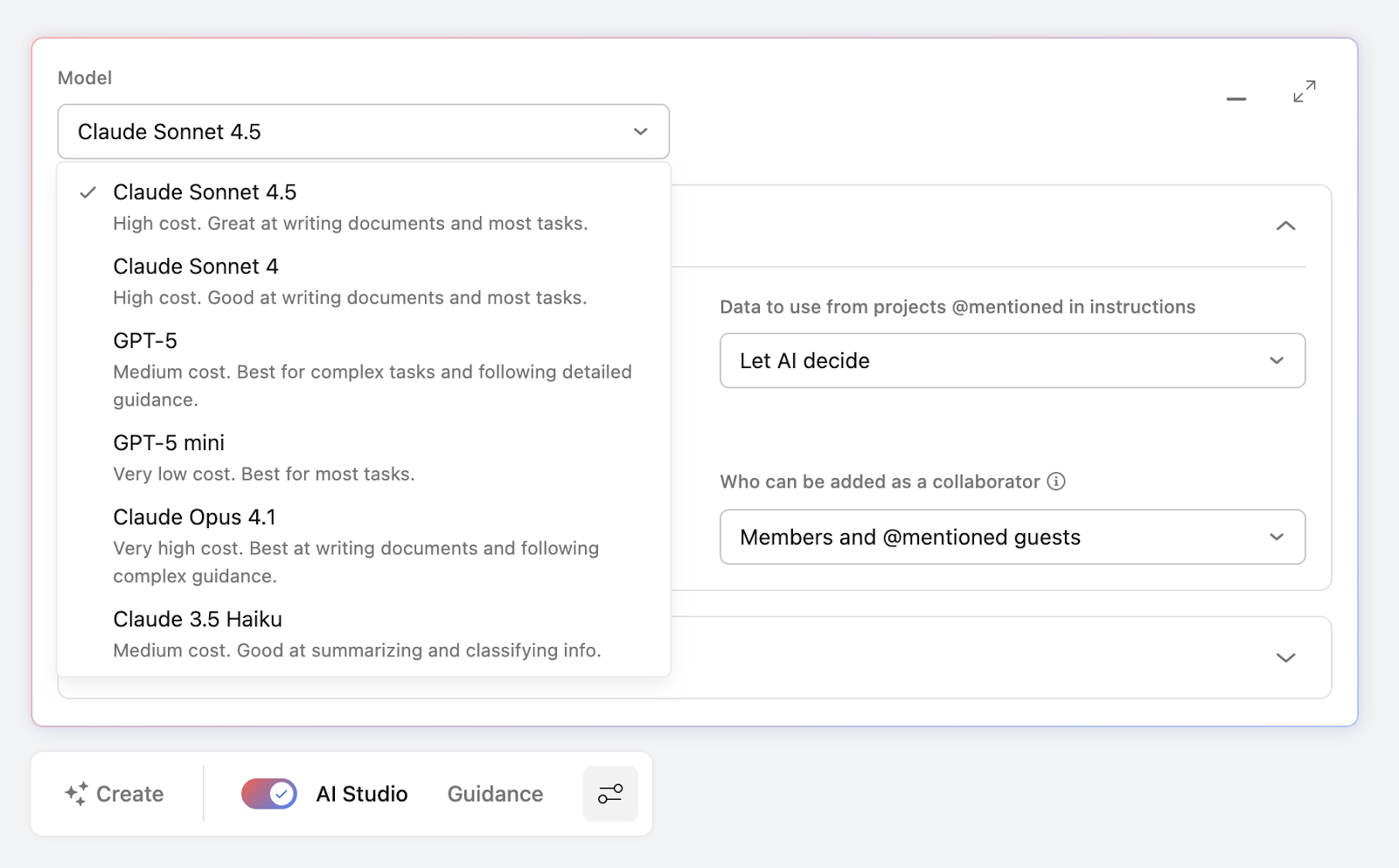
Choosing AI Models in Asana AI Studio
Step 6: Prevent Automation Loops and Rule Errors
Deploying automation requires structure. Trace the chain of actions before launching. Prevent loops by checking if a rule’s output can become its own input. Never build rules without conditions; a rule that fires on every task drains credits fast. Make the admin dashboard part of your weekly review routine.
Step 7: Test at Volume for AI-Powered Productivity
AI is probabilistic. Spot checks are insufficient. Build a test section with real scenarios (tasks) and expected results Run 20 to 50 tasks initially, then scale to 200+. Adjust your prompts based on failures. Repeat this for multiple rounds. Inconsistent results almost always trace back to poor prompt quality.
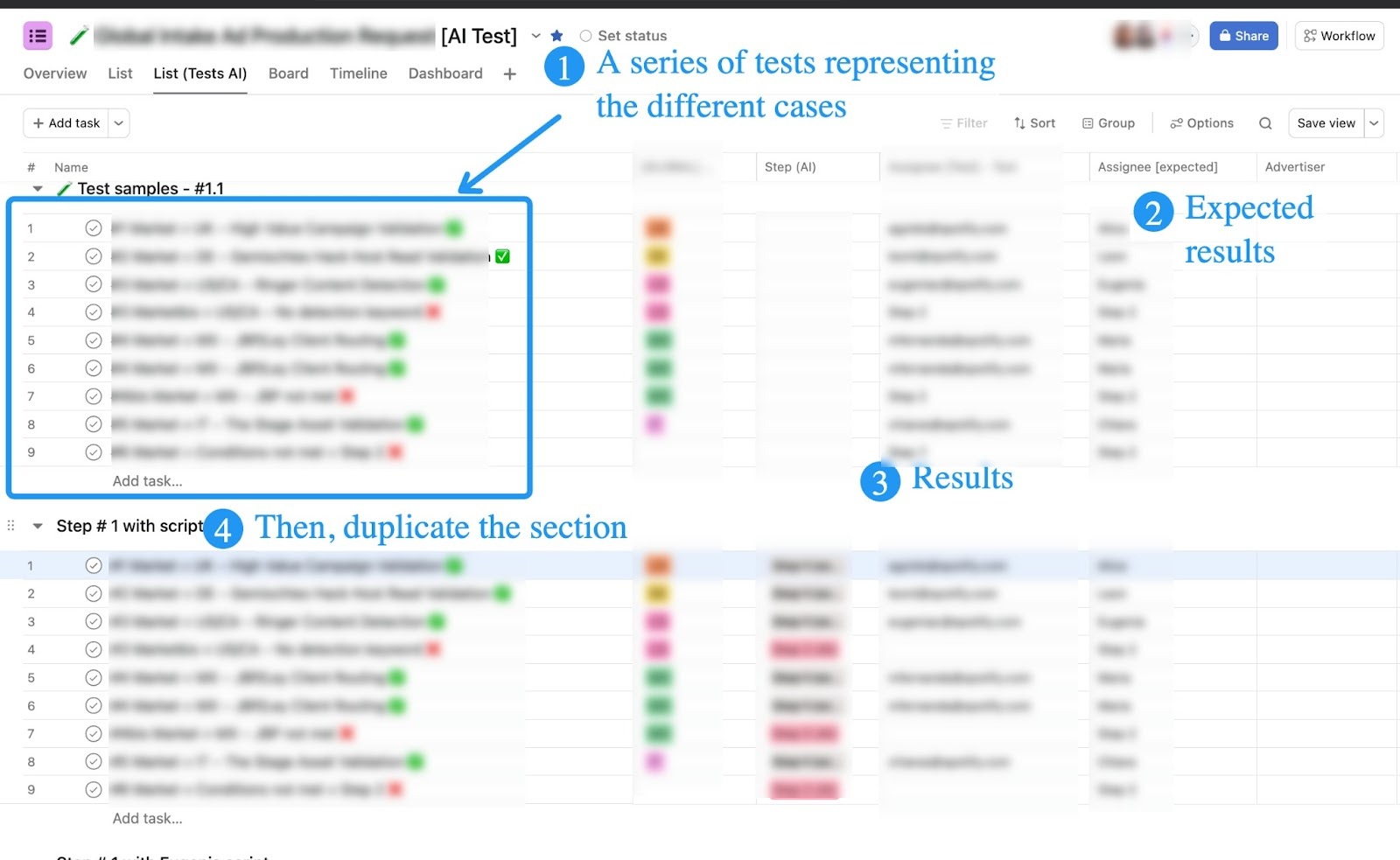
AI Test Section in Asana detailing expected results
Step 8: Roll Out with Governance and Visibility
Schedule 30-minute weekly stakeholder check-ins to show progress and build trust. Work in pairs on the technical build to debug complex prompts effectively.
Manage notifications using field-based assignee logic during intermediate automation steps to avoid “fake noise”. Build a buffer into your timeline; complex deployments take longer than expected.
Step 9: Handle Blockers
Deploying intelligent automation comes with specific challenges. Be prepared to migrate these common risks:
- Automation loops: trace the chain before launching. If a rule’s output can become its own input, add conditions to break it
- Rules without conditions: always add specific triggers. A rule that fires on every task drains credits fast
- Lack of credit visibility: make the admin dashboard part of your weekly routine
- Poor prompt quality: inconsistent results almost always trace back to the prompt. Remove ambiguity, test specific phrasing
- Timeline constraints: complex deployments take longer than expected. Build buffer into your timeline
Step 10: Scale Sustainably
Prove value first. Measure the time saved, accuracy, and credits consumed Expand to adjacent processes by reusing your templates and methods. Keep the credit forecast updated as workflows grow
The organizations that succeed with AI Studio treat it with the same discipline as any operational project: clear objectives, documented logic, structured testing, careful resource management, and continuous improvement.
Recommended: Work with an Asana Expert
Deploying AI Studio on your own is absolutely possible, but working with a certified AI Studio Partner (like i.DO) can significantly accelerate your results and help you avoid costly missteps. A partner brings hands-on deployment experience across multiple organizations, which means fewer trial-and-error cycles for your team.
Benefits of working with an AI Studio Partner:
- Faster time to value
- Credit optimization from day one
- Access to proven templates and methodologies
- Objective assessment of your workflows
- Reduced risk of common pitfalls
- Knowledge transferred to your team
Wishing you the best with your AI Studio deployment 👋