Stay ahead of the curve with the Asana January 2026 Updates, featuring powerful new tools like saved views in templates and portfolio duplication to streamline your project setup.
These enhancements, ranging from smart automations to tighter privacy controls, are designed to bridge the gap between complex features and clear, collaborative workflows.
1- Streamlined Project Setup
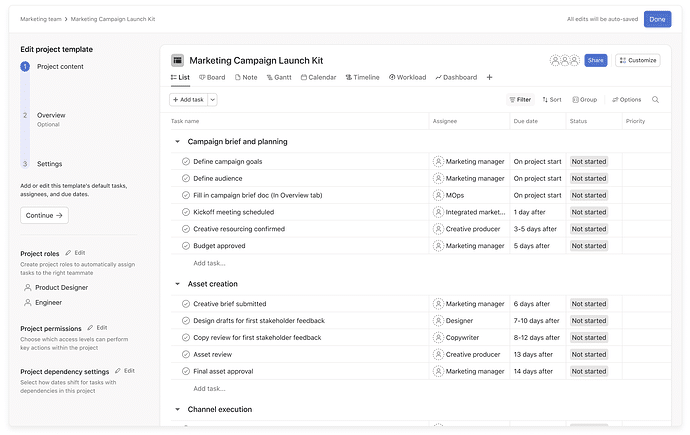
📋 ⭐Saved Views in Project Templates⭐
This update is changing everything! You can now add, rename, and reorder tabs (saved-views), plus set specific filters and sorts directly within your project templates.
💙 i.DO Tip: Configure your template views for different needs and stakeholders, so your preferred layout is ready to go from day one without any manual setup.
2- Notif. and Filters
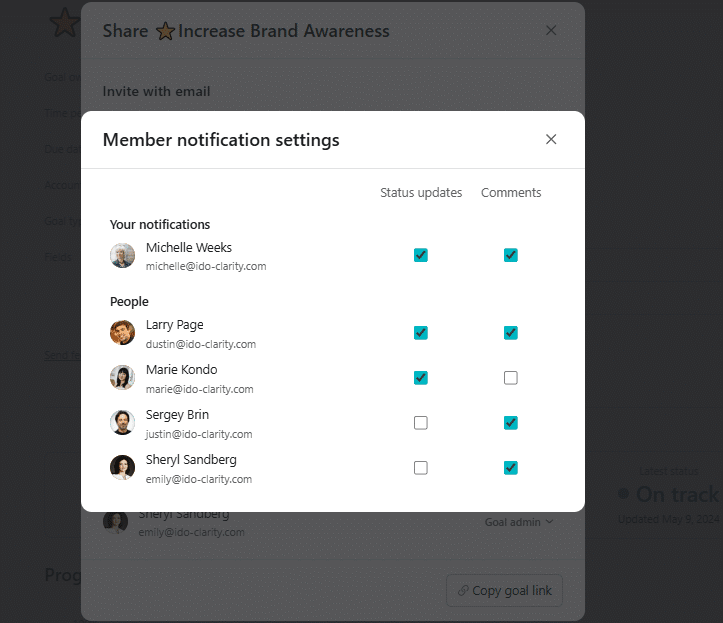
🔔 Custom Goal Notifications
Members can now choose exactly which notifications to receive for each goal, including status updates and comments.
💙 i.DO Tip: Tune out the noise by subscribing only to the high priority goals that actually need your eyes this week.
3- Smart Automations
🛠️ Clearer Rule Troubleshooting
The rule builder now highlights specific issues with a combined error and warning state, providing better context to fix automations quickly.
💙 i.DO Tip: Use these new indicators to audit your older rules and ensure everything is running like a well oiled machine.
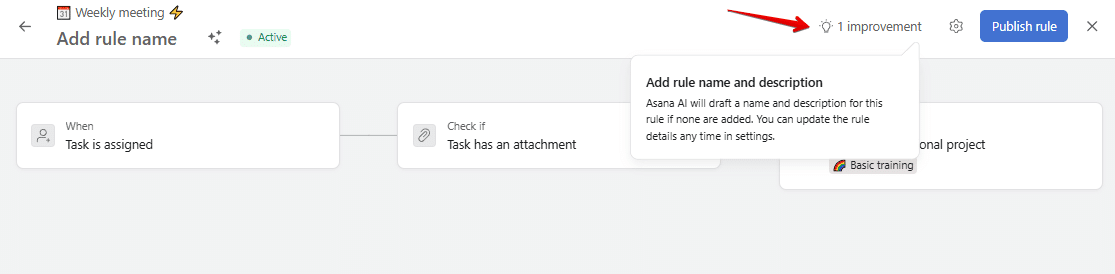
🔗 Reference Custom Fields in Rules-Action
Automations can now use reference custom fields in actions to update or connect work based on linked records.
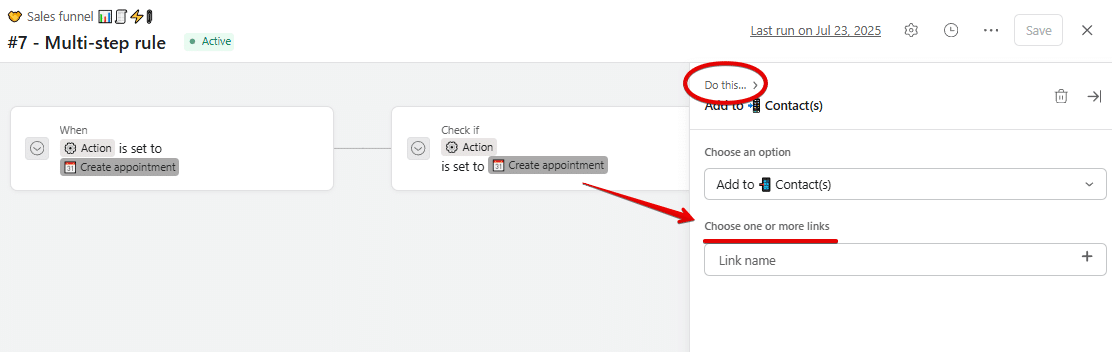
⏳ Real-Time Execution Tracking
You can now see the progress of a rule directly on the task while the automation is running.
4- Privacy & Team Controls
📢 Team Message Restrictions (Enterprise)
Team admins can now restrict who is allowed to send messages to a team to keep announcements focused and reduce noise.
💙 i.DO Tip: Set your main team to “Admins Only” to share big wins and use project comments for the day to day chatter.
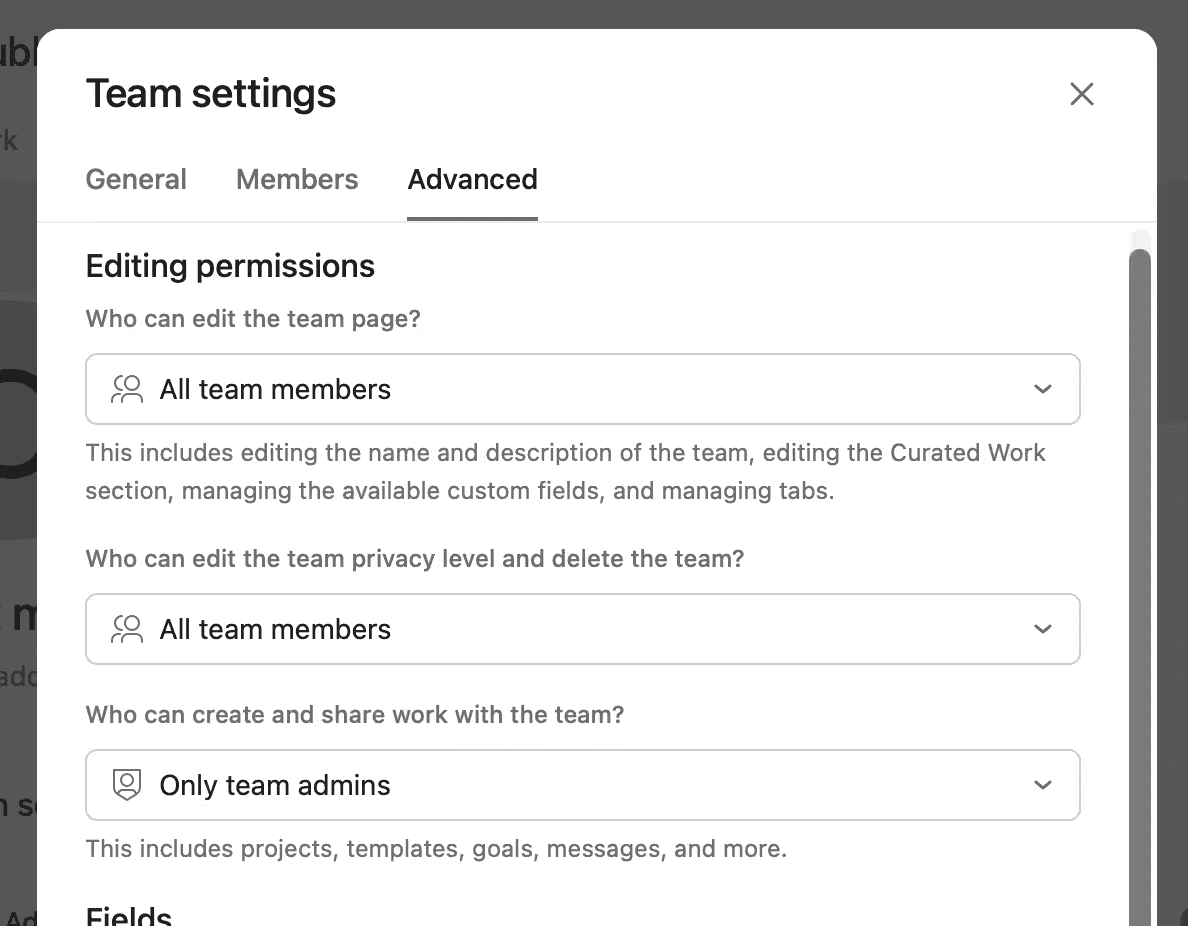
🔒 Tighter Team Visibility
Notes and uploaded files are now strictly visible to team members only, providing extra security for your internal documents.
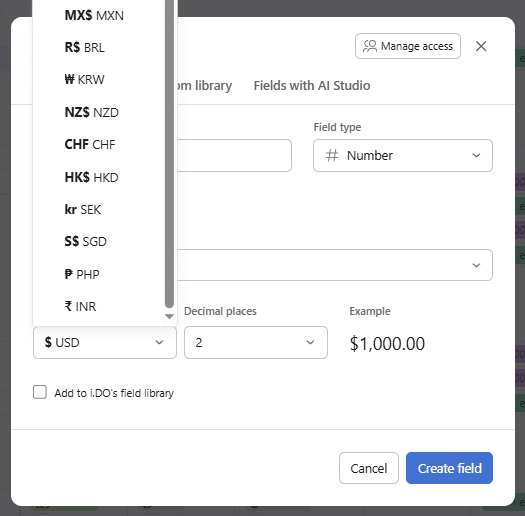
💰 Expanded Global Currencies
Custom and budget fields now support more currencies including CHF, HKD, SEK, SGD, PHP, and INR.
💙 i.DO Tip: If you work with international freelancers, set their specific budget field to their local currency to avoid mental math during audits.
📥 Ready to bridge the gap?
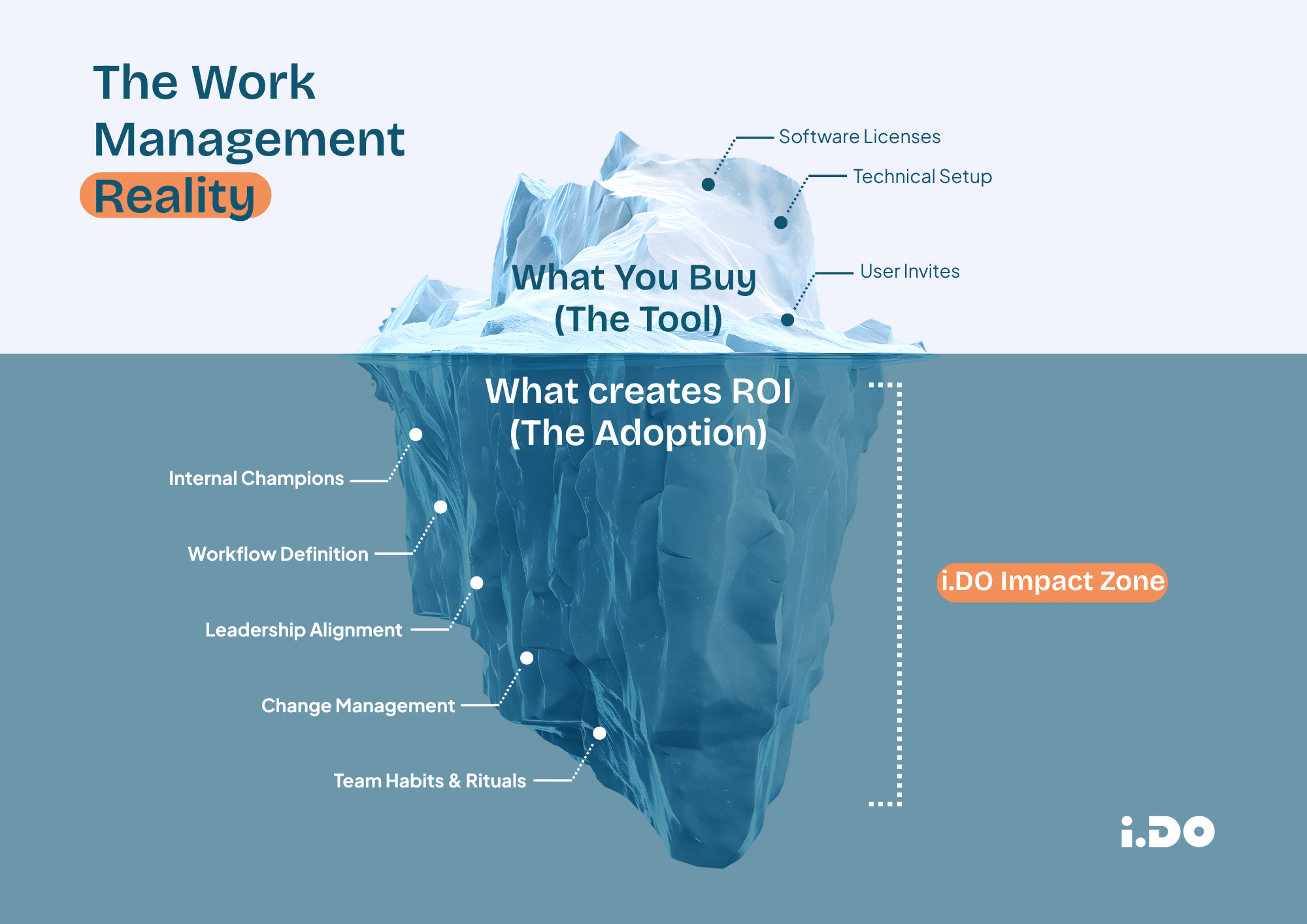
You invested in a work management platform to save time. But if your team is still drowning in emails or complaining that “it’s too complicated,” you might be tempted to blame the software.
Here is the hard truth: The tool isn’t the problem.
Operational efficiency doesn’t come from a license key; it comes from the people bridging the gap between tech and reality. We call them Internal Champions.
In our latest article, we break down:
- Why “set and forget” implementation always fails.
- How to spot the champions hiding in your team.
- The “Translator” method to turn features into benefits.