At i.DO, we are big fans of experimenting with all the latest AI tools and features. I’ve personally put this new integration through its paces to see how well it can help you transform text into a fully structured project, and a few other nice use-cases.
What makes this integration so powerful?
Launched in December 15, 2025, this integration leverages the Asana’s brand new MCP (Model Context Protocol) Server. In plain English, MCP is the secure, behind-the-scenes bridge that allows AI assistants like ChatGPT (and others like Claude) to talk directly to your Asana workspace.
It gives the AI the exact context it needs to read your tasks and write new data, meaning less hallucination and perfectly formatted projects without you ever leaving the chat.
👉 Enter the Asana app for ChatGPT.
(Available to users on Asana Personal, Starter, Advanced, Enterprise, and Enterprise+ plans.)
Access your Settings, then “Apps”
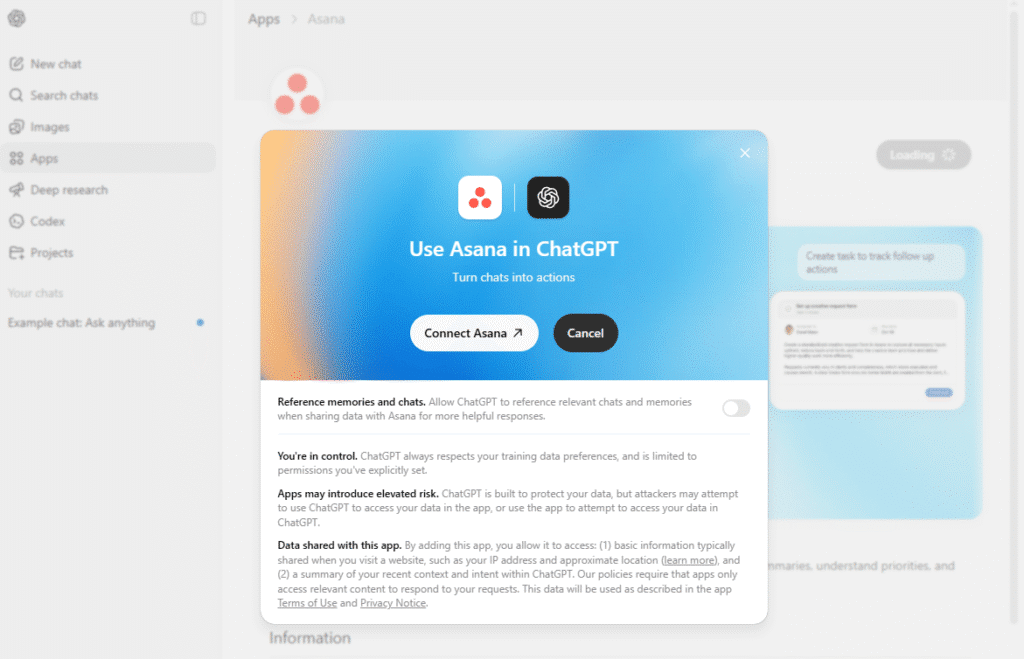
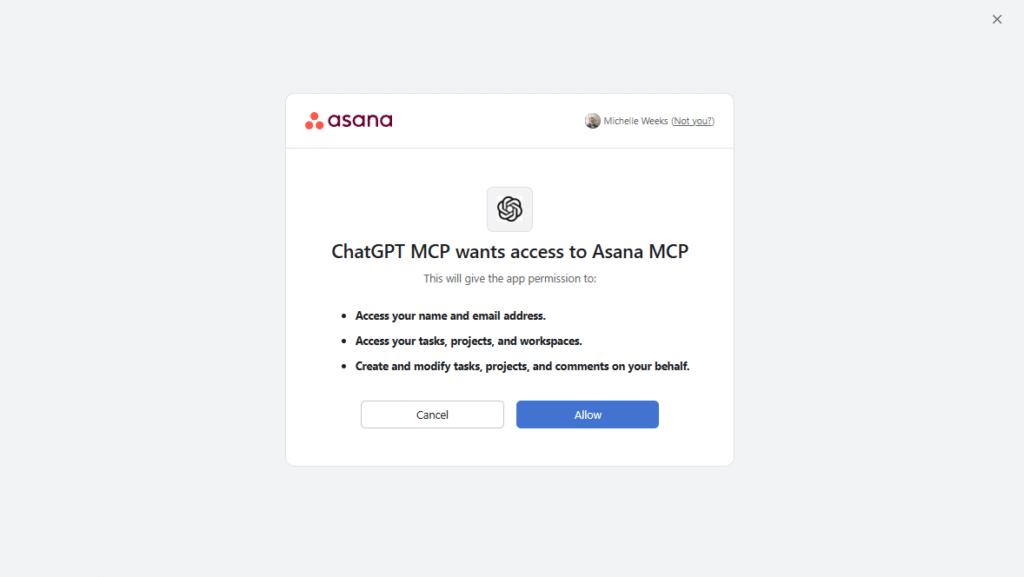
Connecting the two apps is easy. Once you authorize the Asana app in ChatGPT’s “Apps” menu, you get a custom Asana screen right inside your chat.
✅ Great Features vs. ❌ Current Limitations
✅ What you CAN do:
- Get quick summaries: Ask ChatGPT to summarize overdue tasks or give you a quick status update based on your Asana activity.
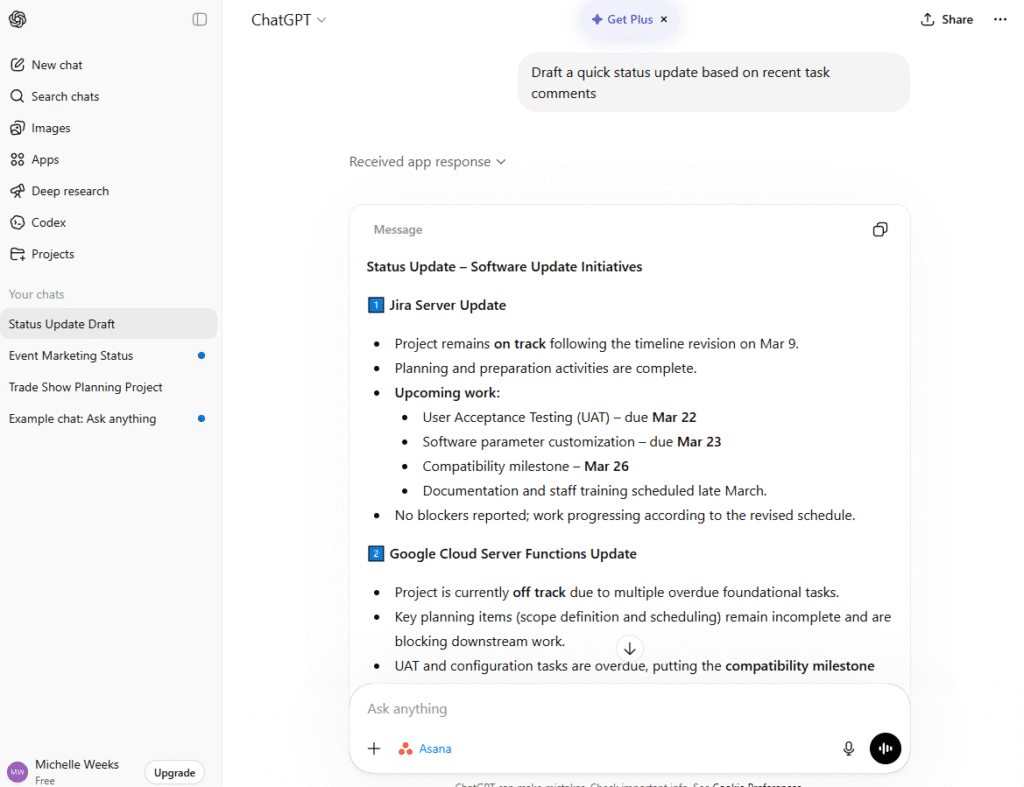
- Create full projects: Brainstorm a campaign (like “Atlanta Trade Show”) and ask ChatGPT to build it. It will instantly create a project with tasks grouped by sections & custom fields.
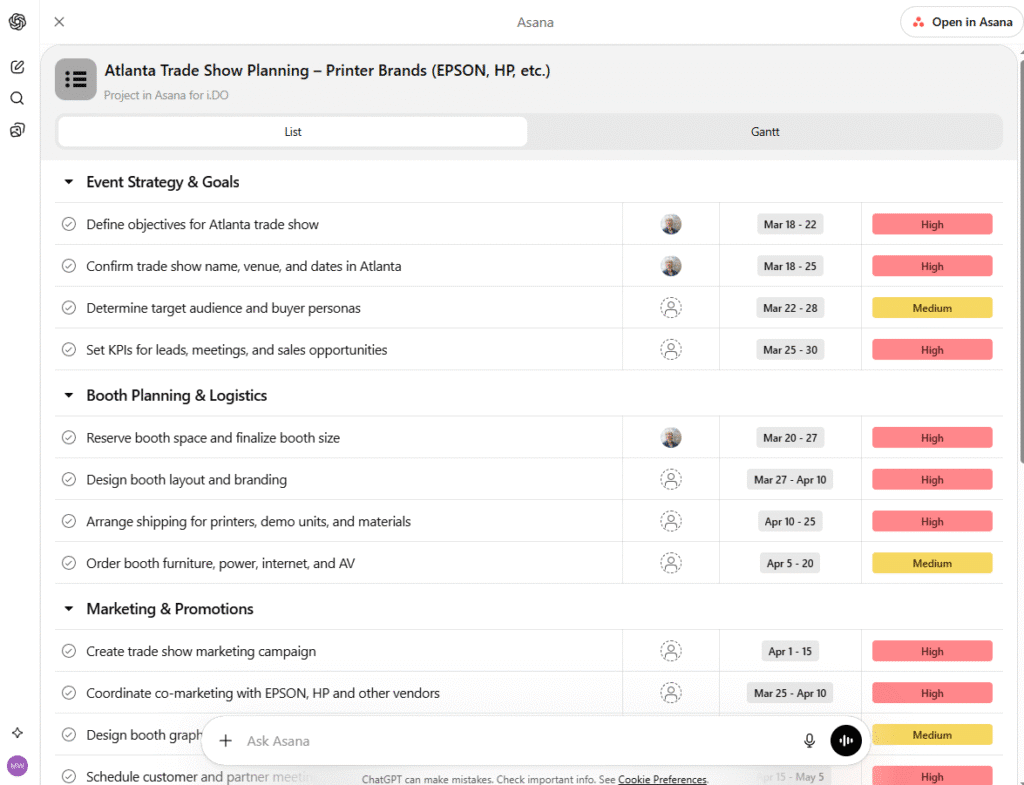
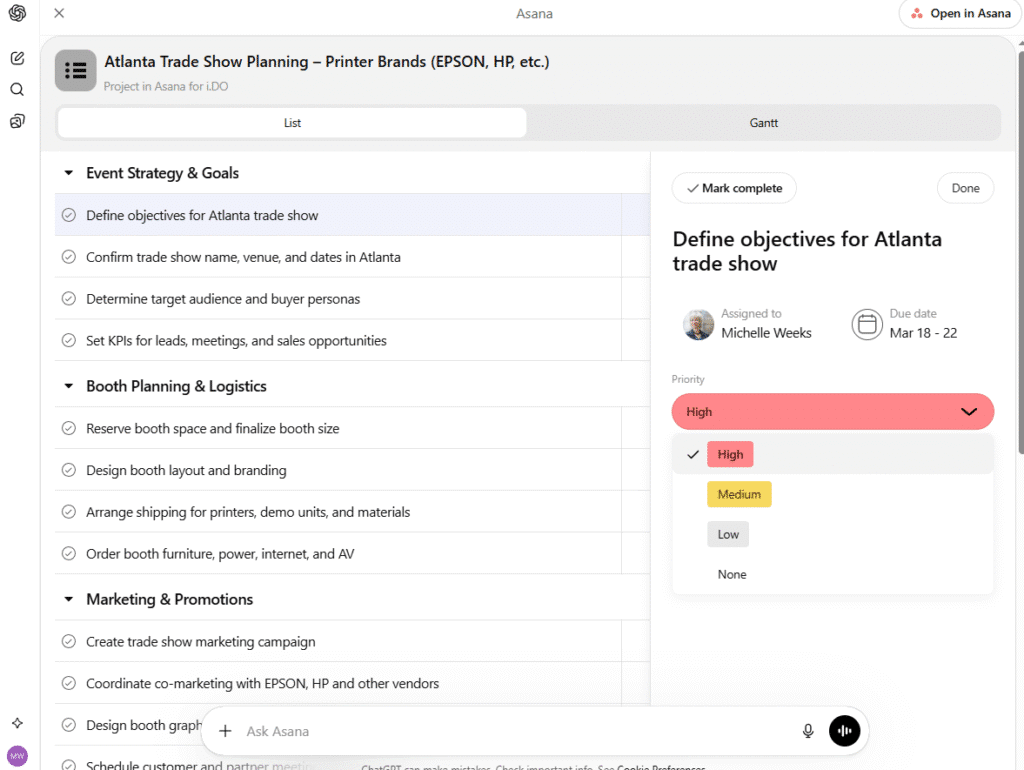
- Edit tasks in ChatGPT: Click on the generated tasks right inside ChatGPT to assign owners, change priorities (High, Medium, Low), and set due dates.
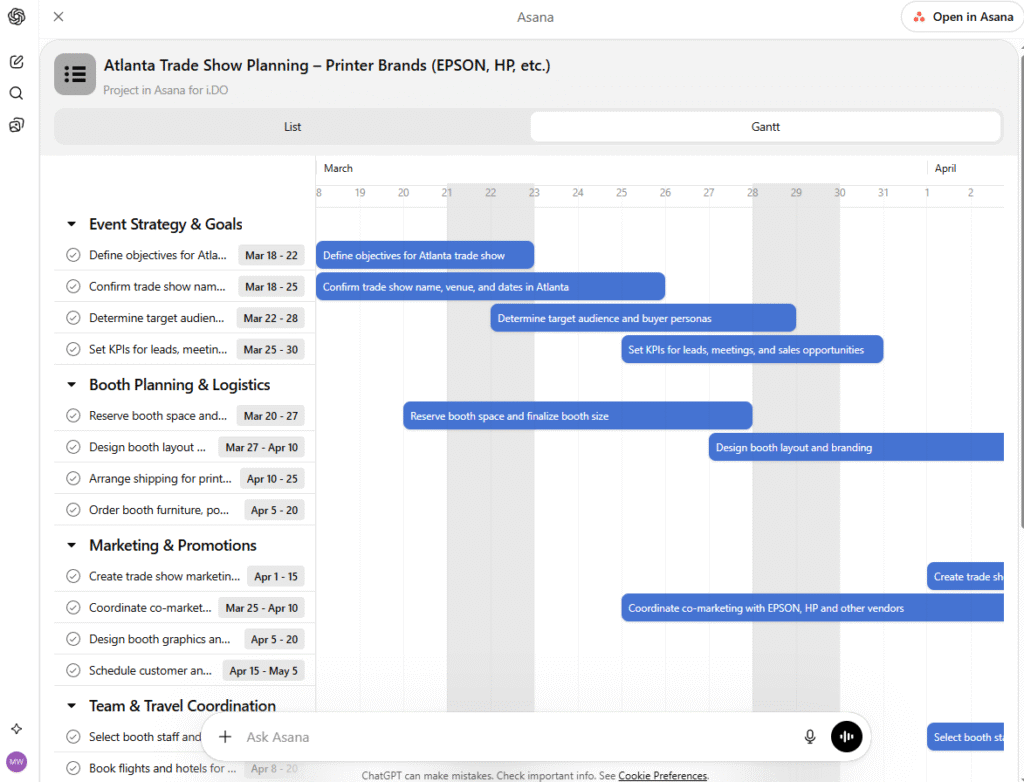
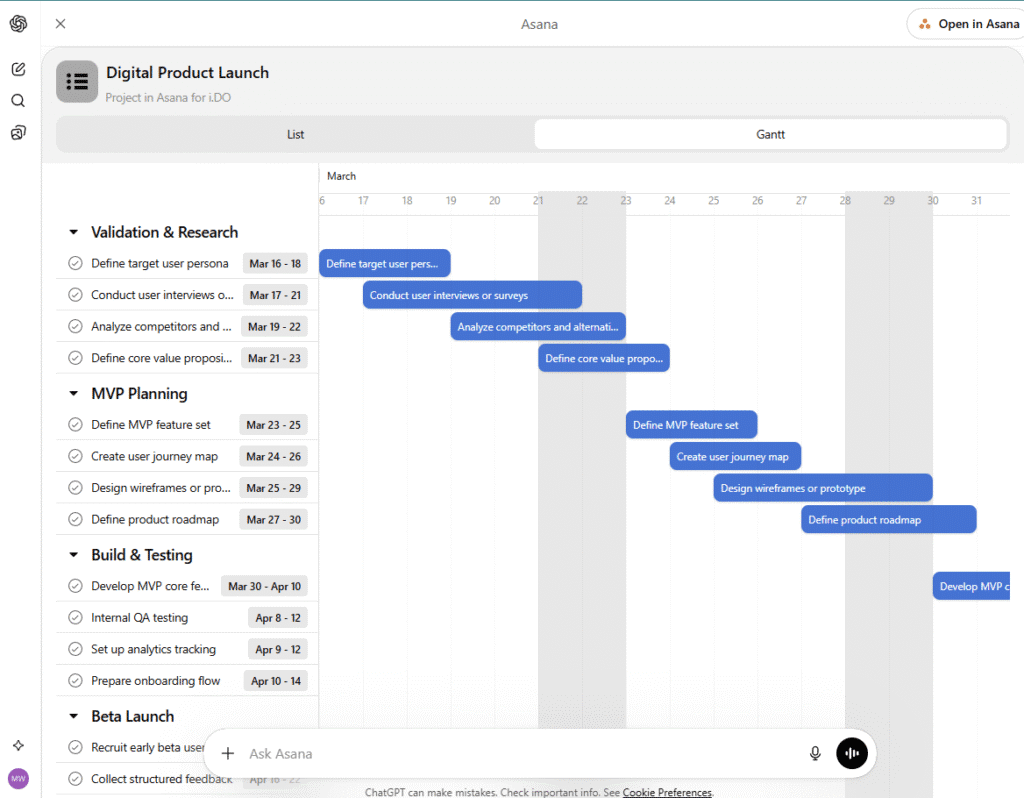
- See your timeline: Switch between simple “List” and visual “Gantt” chart views right in the chat to see how your project flows.
❌ What you CAN NOT do:
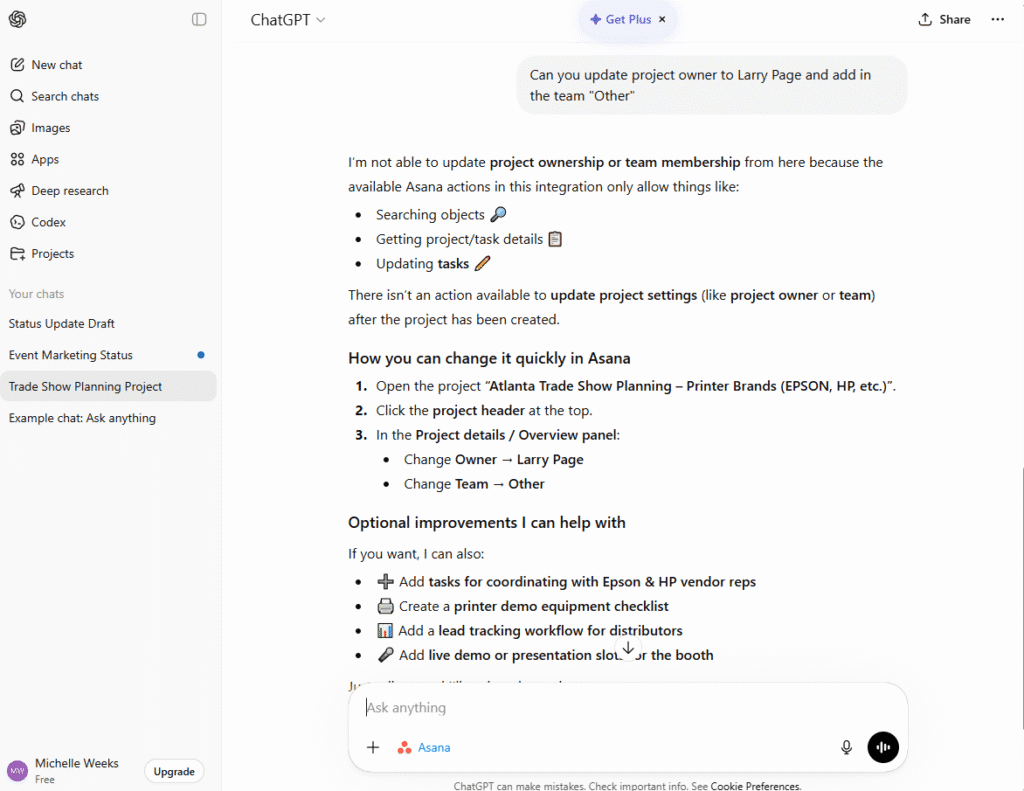
- Change project settings: Once a project is created, you cannot change the Project Owner or the Team directly from ChatGPT. You will need to click the “Open in Asana” button to change those settings.
- See everything: ChatGPT can read task text and custom fields, but it will not read large file attachments or look at projects your account doesn’t have permission to view (and that’s normal).
⭐ Use-Cases
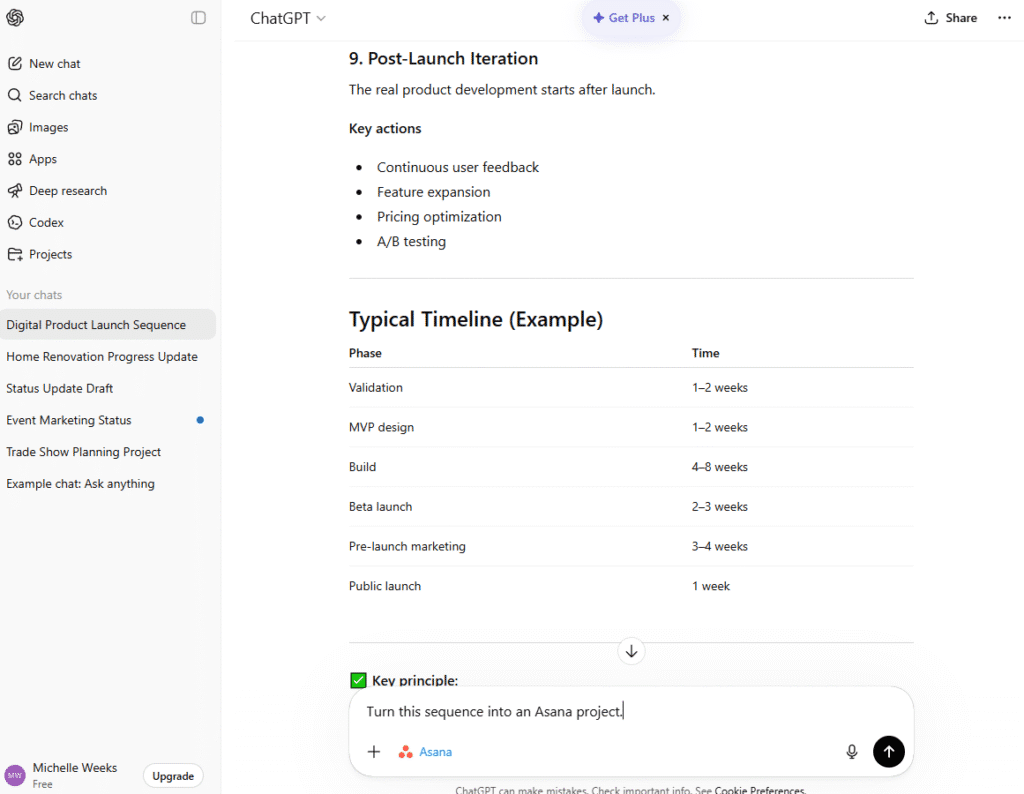
- Quick Project Setup: Ask ChatGPT to outline a launch sequence for a new digital product. Once the strategy looks solid, prompt: “Turn this sequence into an Asana project.” You instantly move from planning to execution.
- Meeting Notes to Tasks: Paste your meeting notes into ChatGPT and prompt it: “Extract all action items, assign them to me, and add them to our Meeting project
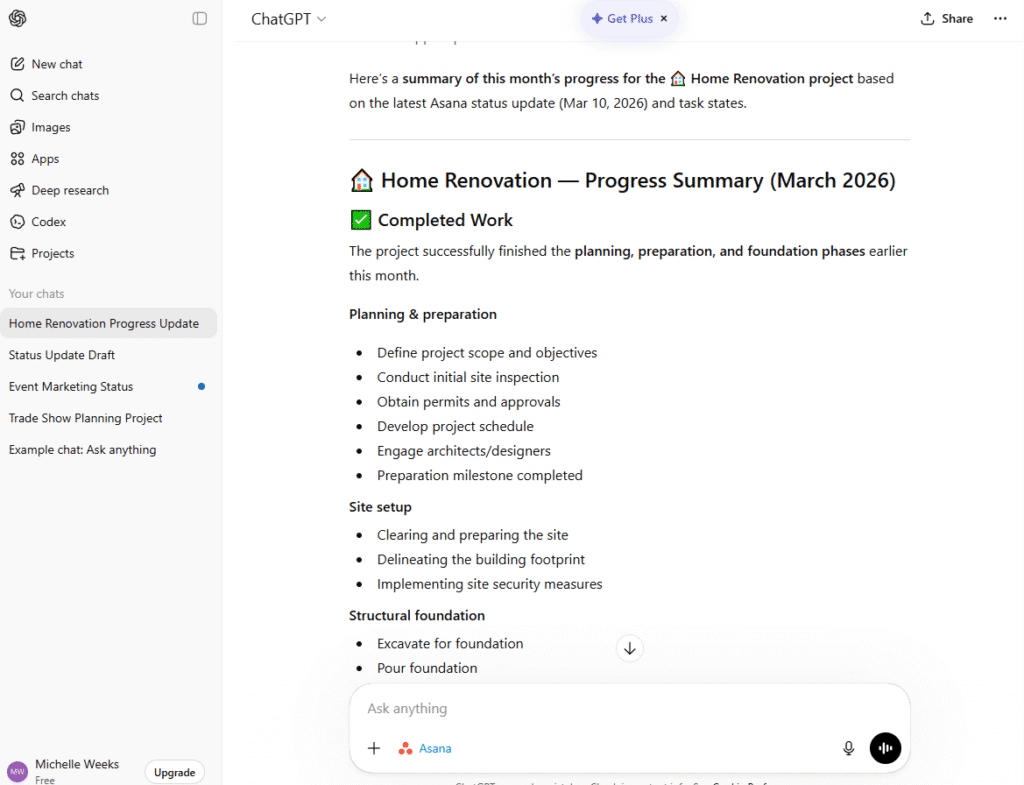
- Easy Status Reports: Stop wasting time compiling data. Ask ChatGPT: “Summarize the progress of the ‘Home Renovation’ project based on this month’s Asana updates, highlighting what is completed and what is blocking us.”
⭐ Tips
- Be very specific: Tell the AI exactly what you want. Instead of saying “make a project,” say: “Create an Asana project for a webinar with Pre-launch and Live Event sections, and assign high priority to all promo tasks.”
- Review Before Pushing Live: The integration gives you a beautiful preview UI. Always review the generated task list, verify assignees, and check the Gantt timeline before hitting the blue “Create project” button.
- Be smart with permissions: Only give ChatGPT access to the specific Asana workspaces it actually needs to do the job.