


1. AI & Rules
🤖 AI Credit Awareness for Builders
Get clearer visibility into AI credit usage, low-pool warnings, and rule history stats so builders can see where credits go and avoid surprises.
💙 i.DO Tip: Review rule history before scaling an AI workflow across teams so you can spot high-usage automations early and prioritize the ones with the biggest payoff.

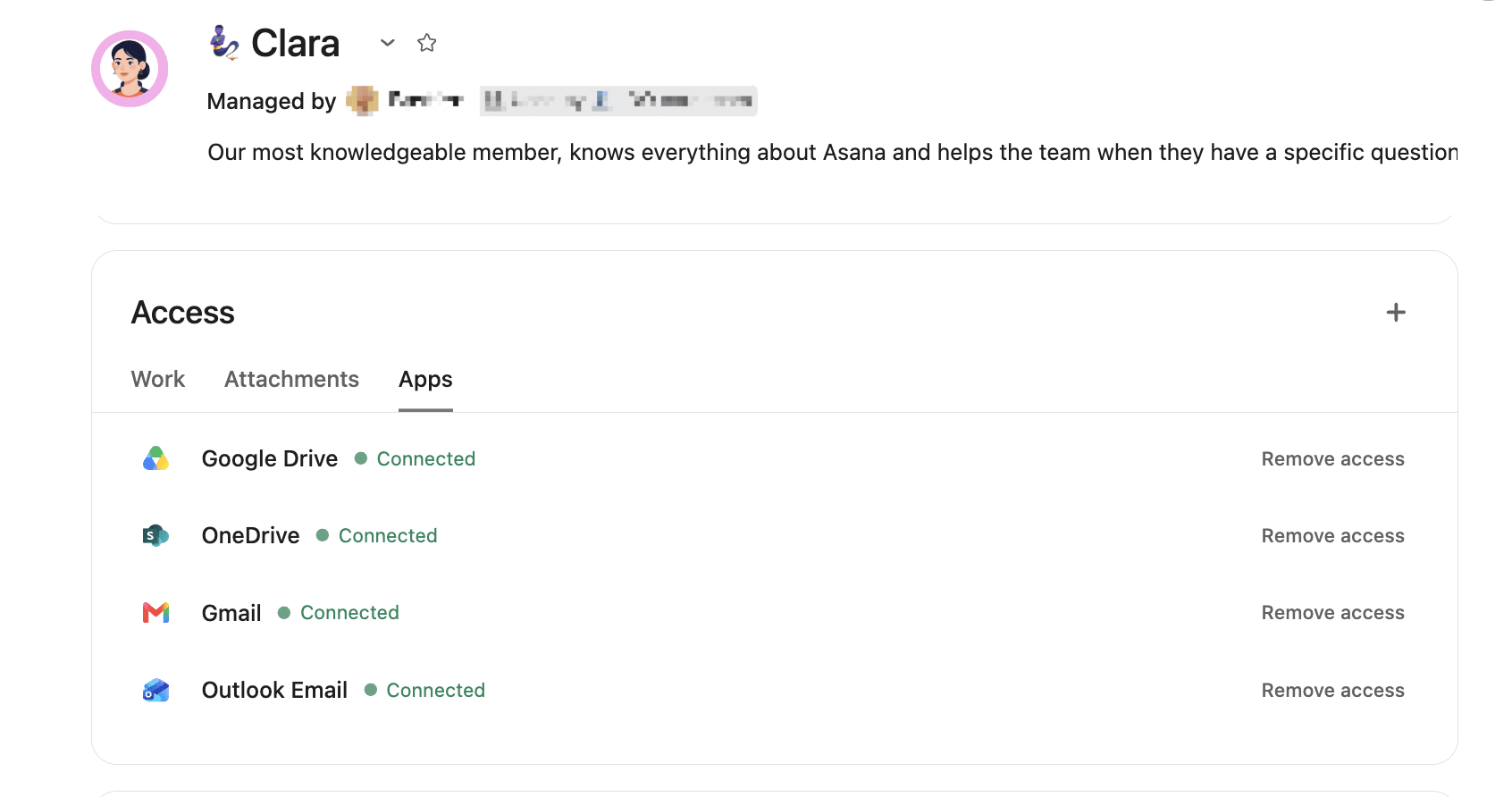
🔌 AI Teammates Integrations
AI Teammates can now connect to Gmail, Google Calendar, Slack, Outlook Mail, and Outlook Calendar, giving them more context and action across the tools your teams already use.
From planning to execution: how to streamline your marketing campaigns with Asana
Missed our early July marketing webinar? You can now watch it on demand. Discover how to go from planning to execution with a clearer workflow, stronger alignment, and less back and forth.

2. Workspace Setup & Access
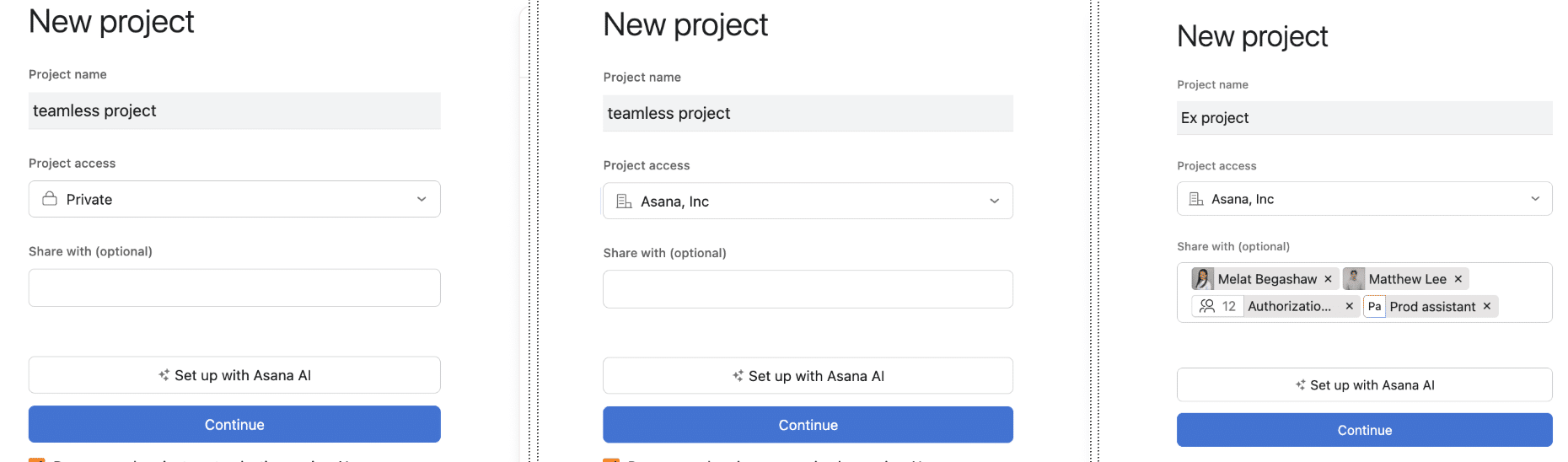
📩 Invite People to Teamless Projects
The global invite dialog now lets users invite people to teamless projects, even when they are not members of a team.
💙 i.DO Tip: Use teamless projects for focused cross-functional work when you want simple collaboration without reshaping team membership first.
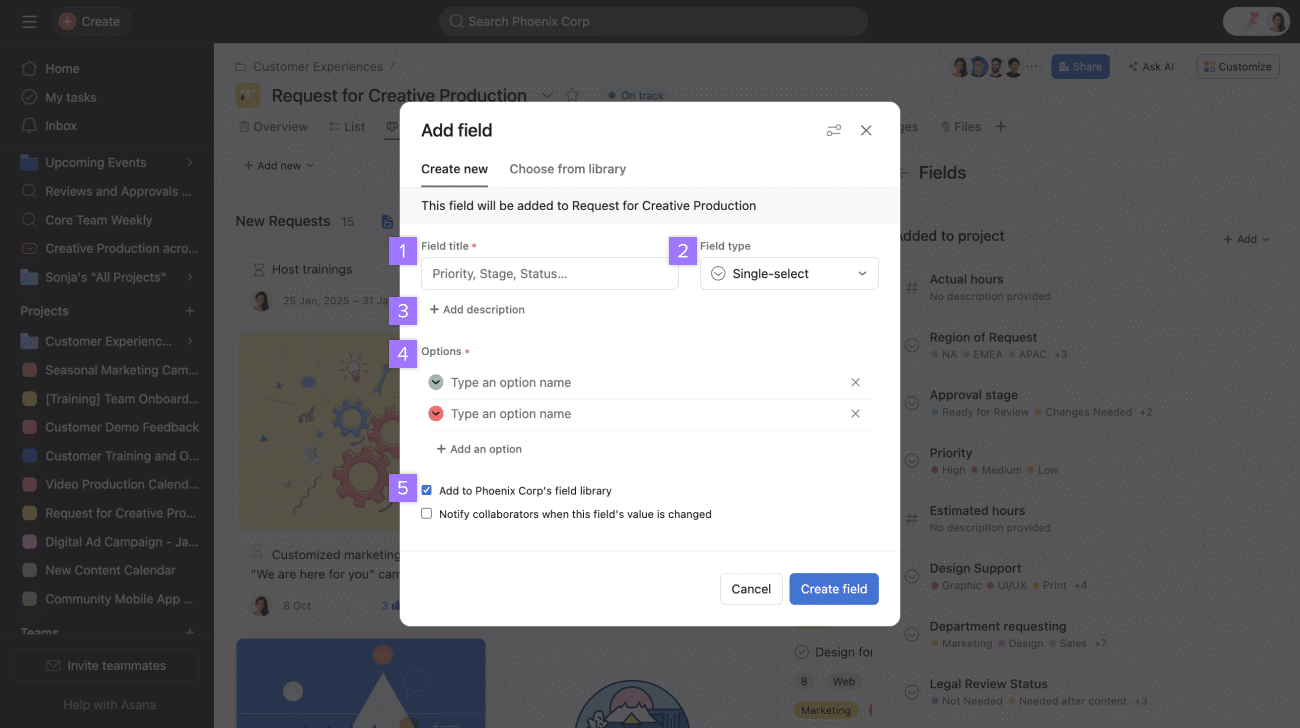
🏷️ Duplicate Global Custom Field Names
Global custom fields (added to the library) no longer need unique names, making it easier to create fields that match real-world terminology while still finding the right field in search.
💙 i.DO Tip: If two departments use the same label for different workflows, pair matching names with clear descriptions so teams can find the right field faster.
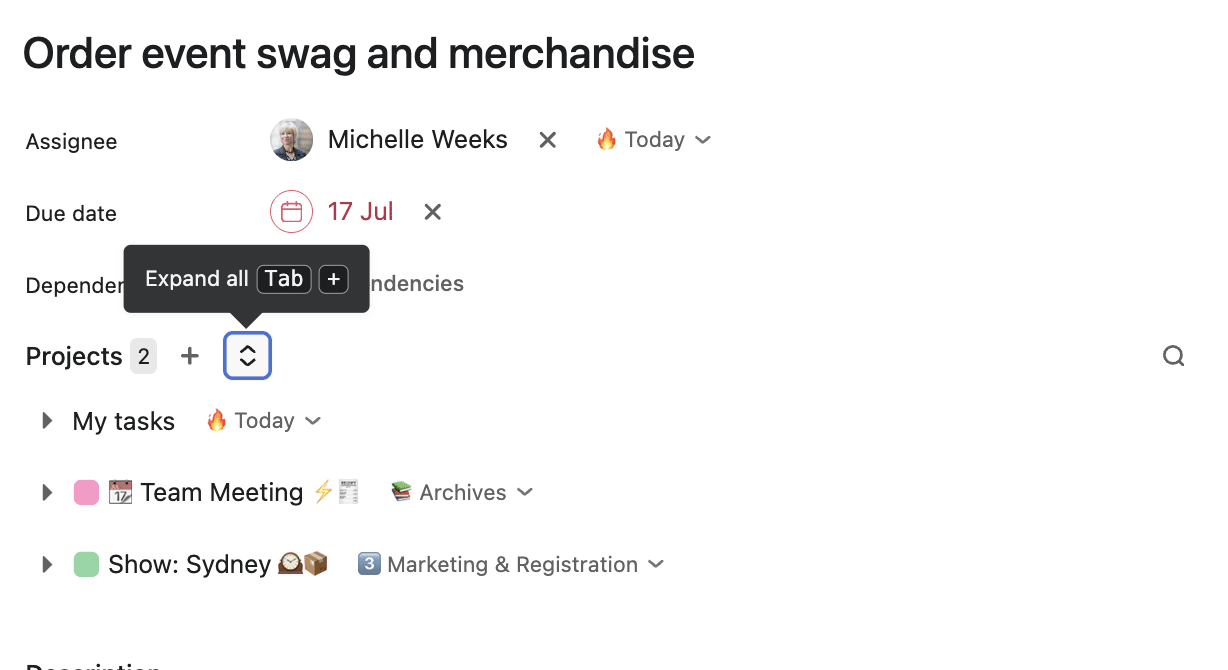
🗂️ Expand or Collapse All Projects in the Task Panel
Users can now expand or collapse all projects at once in the task panel, which is especially handy when a task lives in multiple projects.
🛡️ Admin, Security & Governance
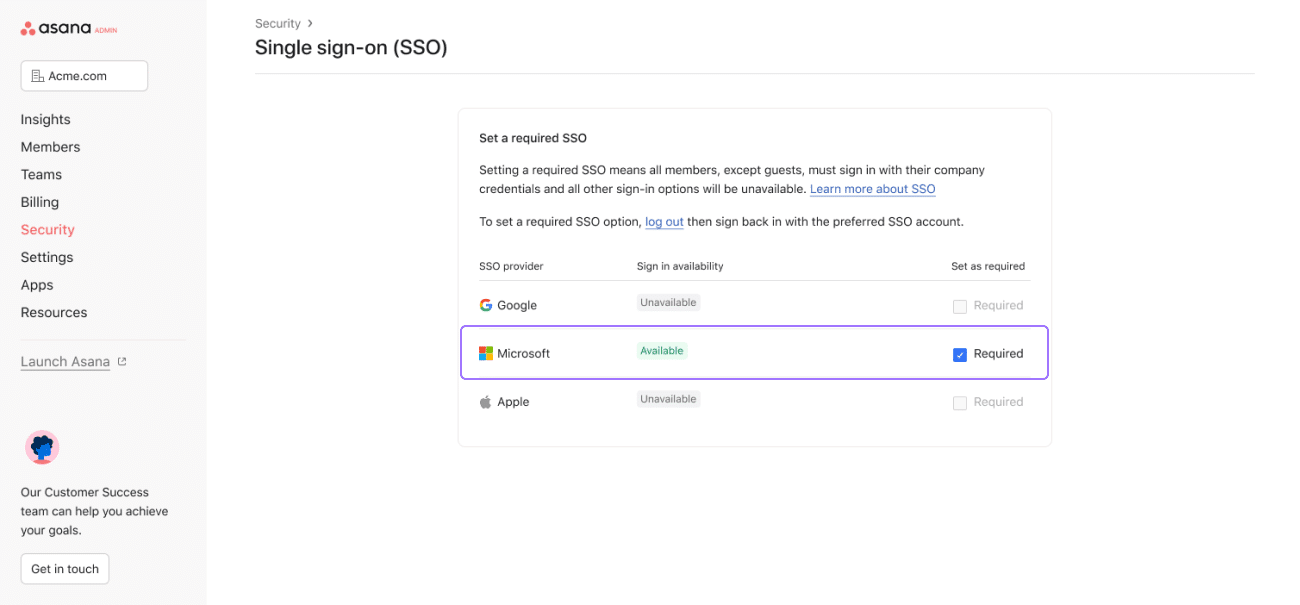
🔐 Microsoft SSO Admin Console Controls
Admins can now require Microsoft SSO directly from the admin console so everyone in the org signs in through Microsoft.
💙 i.DO Tip: Roll this out alongside a short internal note (or admin announcement) so people understand the login change before their next sign-in.
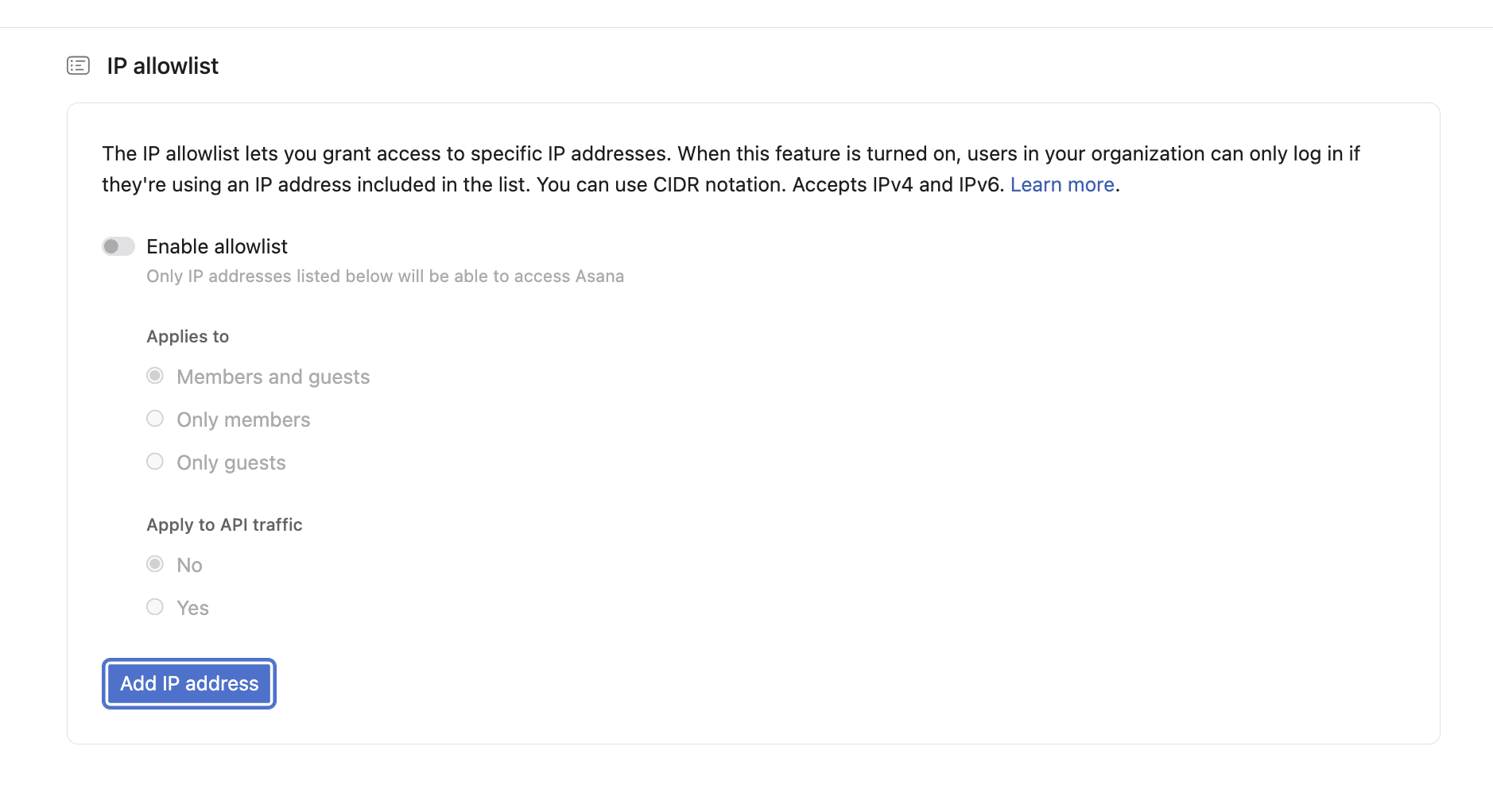
🌐 API Traffic Filtering on IP Allowlisting (Enterprise+)
Enterprise+ organizations can extend IP allowlisting to API traffic, applying the same network controls to browser access and programmatic access.
💙 i.DO Tip: If your IT team already restricts browser access by network, align API traffic rules too so integrations follow the same governance standard.