1. Asana AI
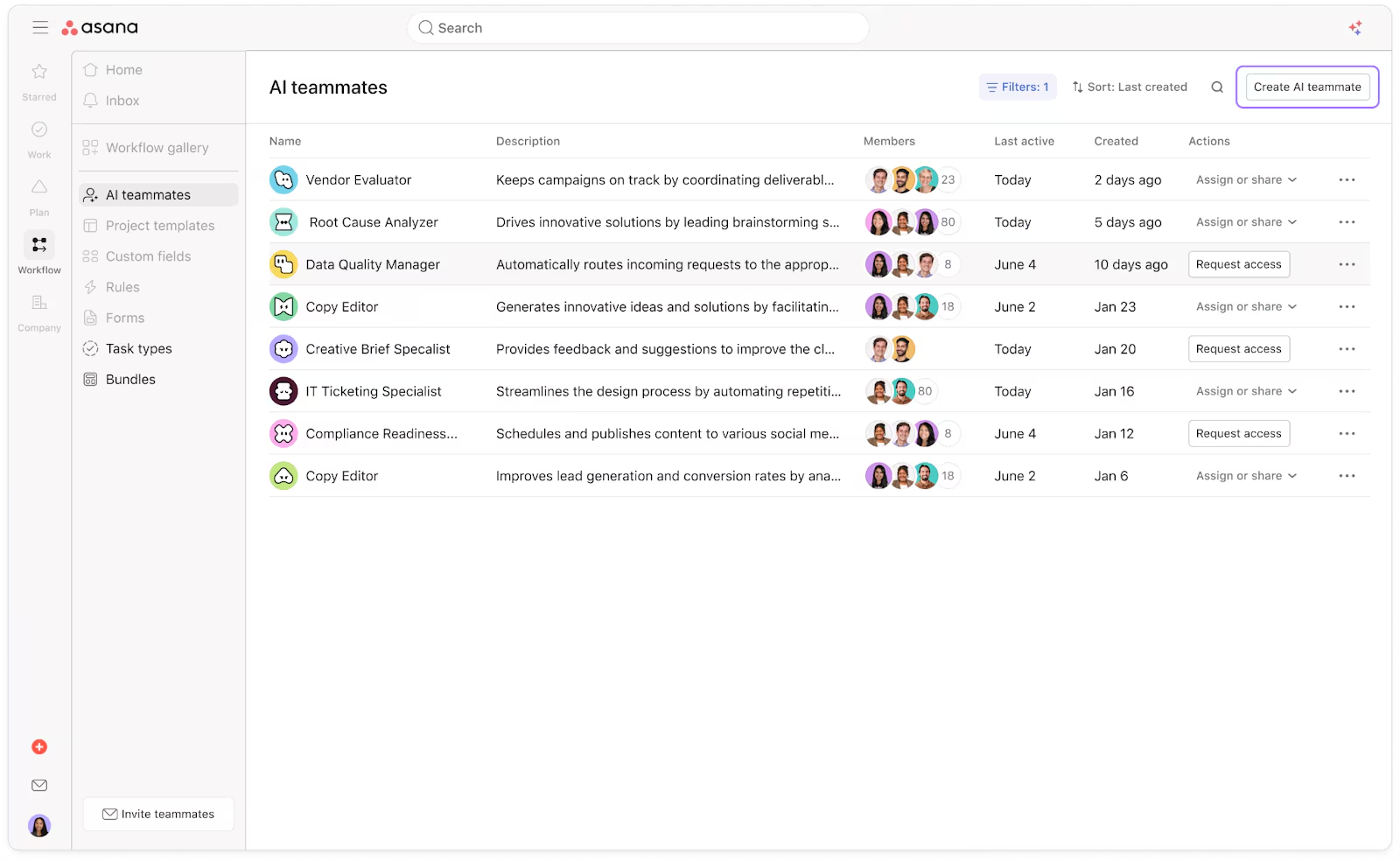
🦾 AI Teammates, the new AI add-on is accessible to all plans
Asana has entered the Agentic era! You can now delegate work to collaborative AI agents directly within your projects. Unlike other AI features, AI Teammates act as active members of your Asana. They do not just answer questions; they help move work forward by staying embedded directly where the collaboration happens.
💙 i.DO Tip: Treat your AI Teammate like a new hire (give them instructions, onboarding ressources..)
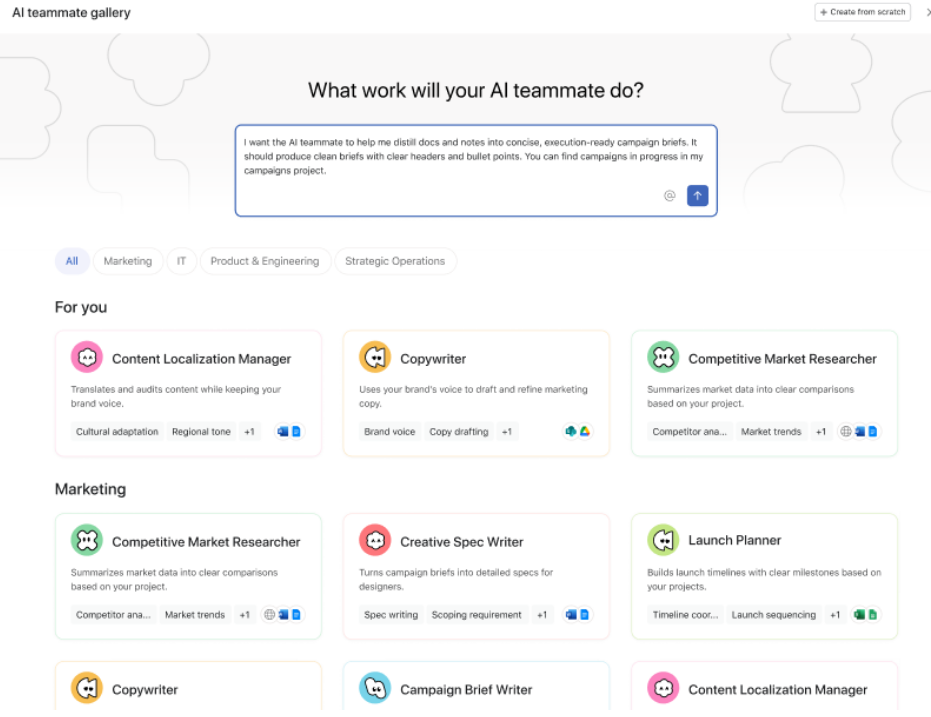
🧰 Prebuilt AI Teammates
Accelerate specialized work with ready-to-use agents like the Campaign Brief Writer or Workflow Optimizer that handle complex tasks out of the box.
💙 i.DO Tip: Connect your tools. Use the Google Drive and SharePoint integrations to let your AI teammate analyze your existing decks and spreadsheets for faster insights!
2. AI Studio
🧠 “Let AI Decide” Model Selection
Asana can now automatically pick the best AI model for your specific rule actions to ensure maximum accuracy.
💙 i.DO Tip: If you are unsure which LLM to use for a workflow, let Asana do the thinking.
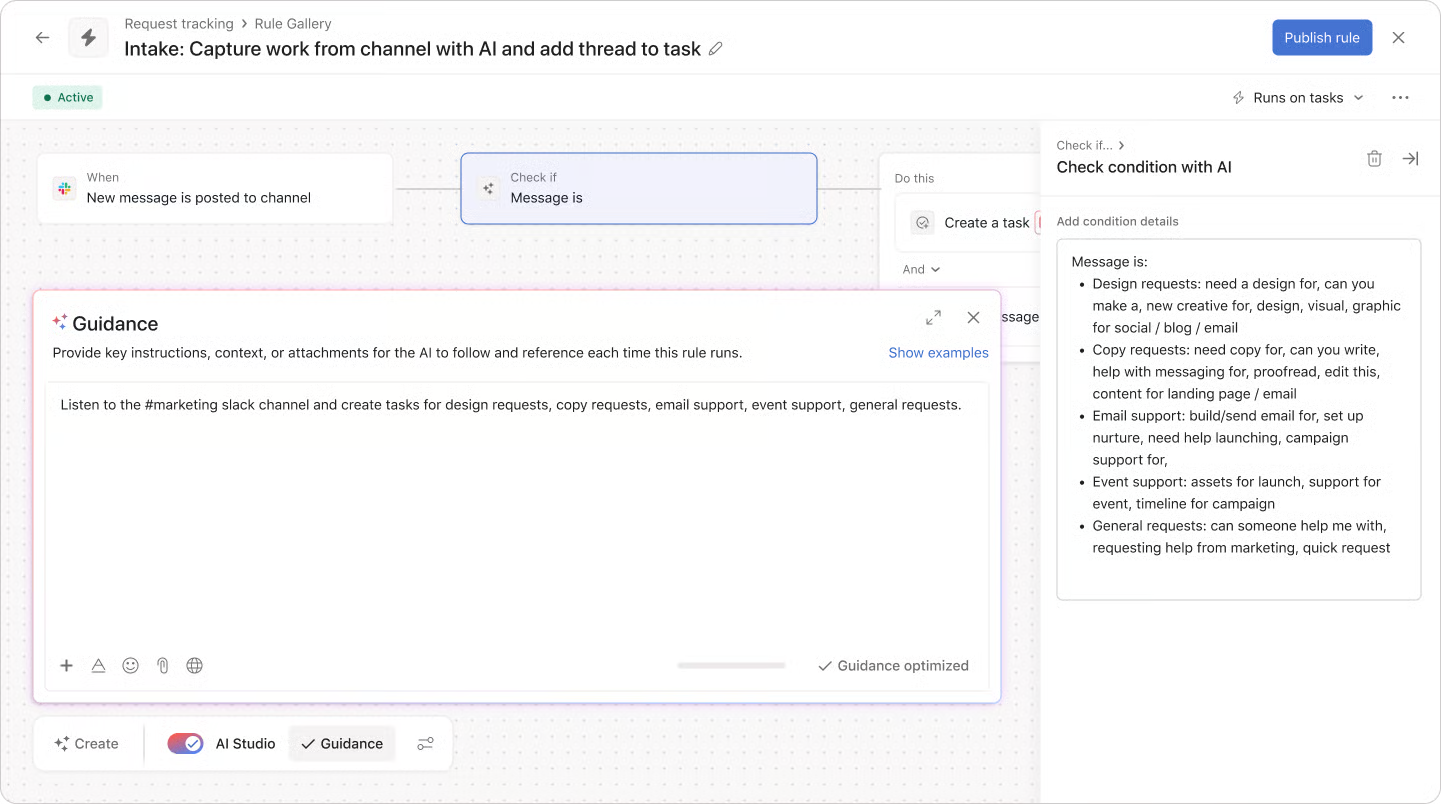
⚡ Slack Intake and AI Studio Rules
Automatically turn Slack messages into Asana tasks and keep comments synced between both platforms using AI Studio.
💙 i.DO Tip: Following the Asana Help for instructions (at least 2 rules to create)
3. Project Views & Organization
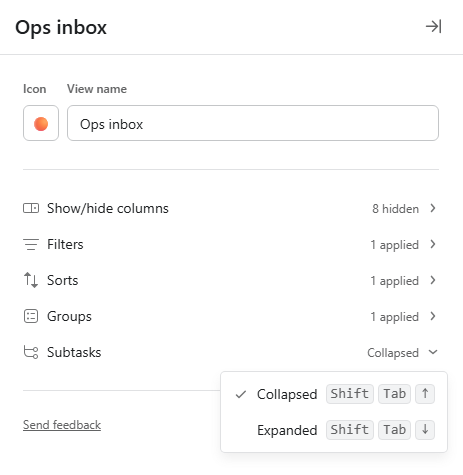
↔️ One-Click Expansion and Collapse
You can now expand or collapse all sections, groups, and subtasks in a project view with a single click (via the Options panel of your project, top right).
💙 i.DO Tip: Create multiple saved-views (project tabs): one for All Expanded for full details, and one for All Collapsed for overview
🧱 Collapsible Board Columns
Customize your Board view by collapsing columns you aren’t using.
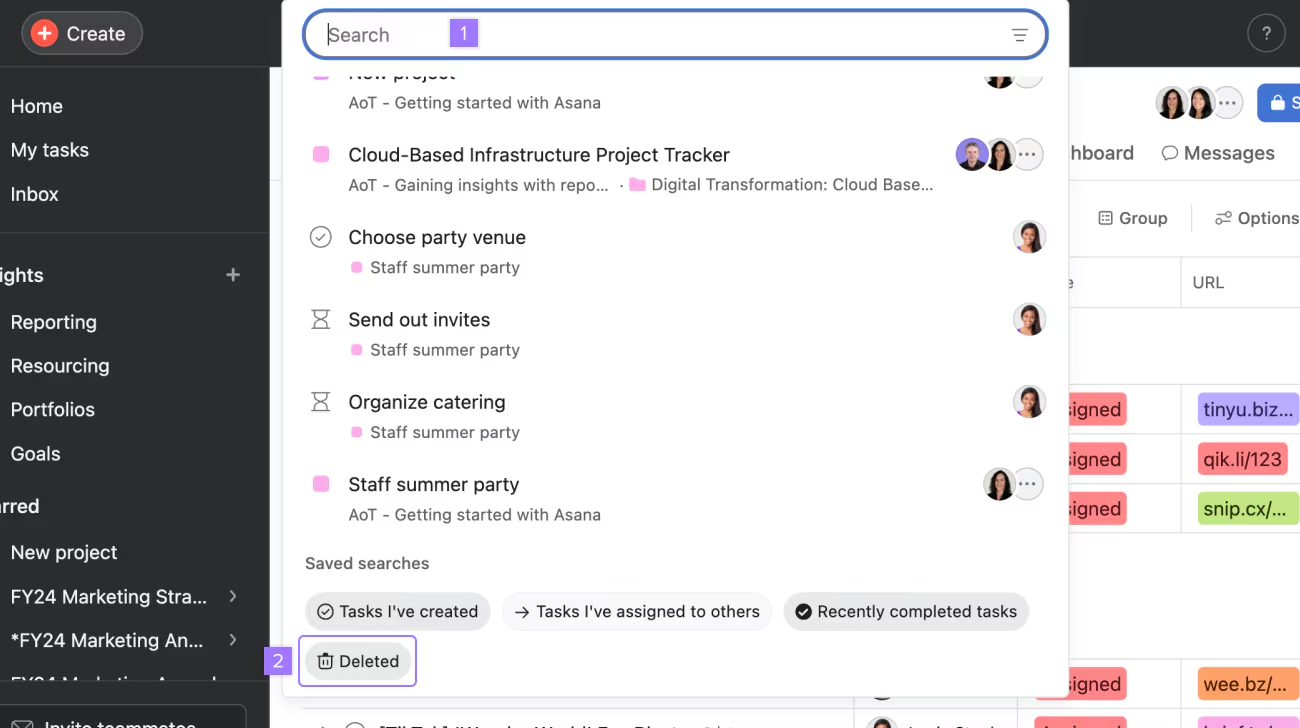
🗑️ Revamped “Deleted” Experience
Manage deleted projects, tasks, and messages from a new centralized trash view located in the Search bar menu.
💙 i.DO Tip: Only the user who removes the content sees it in the “Deleted” view; but assignee and collaborators receive a notification.
4. Enhanced features
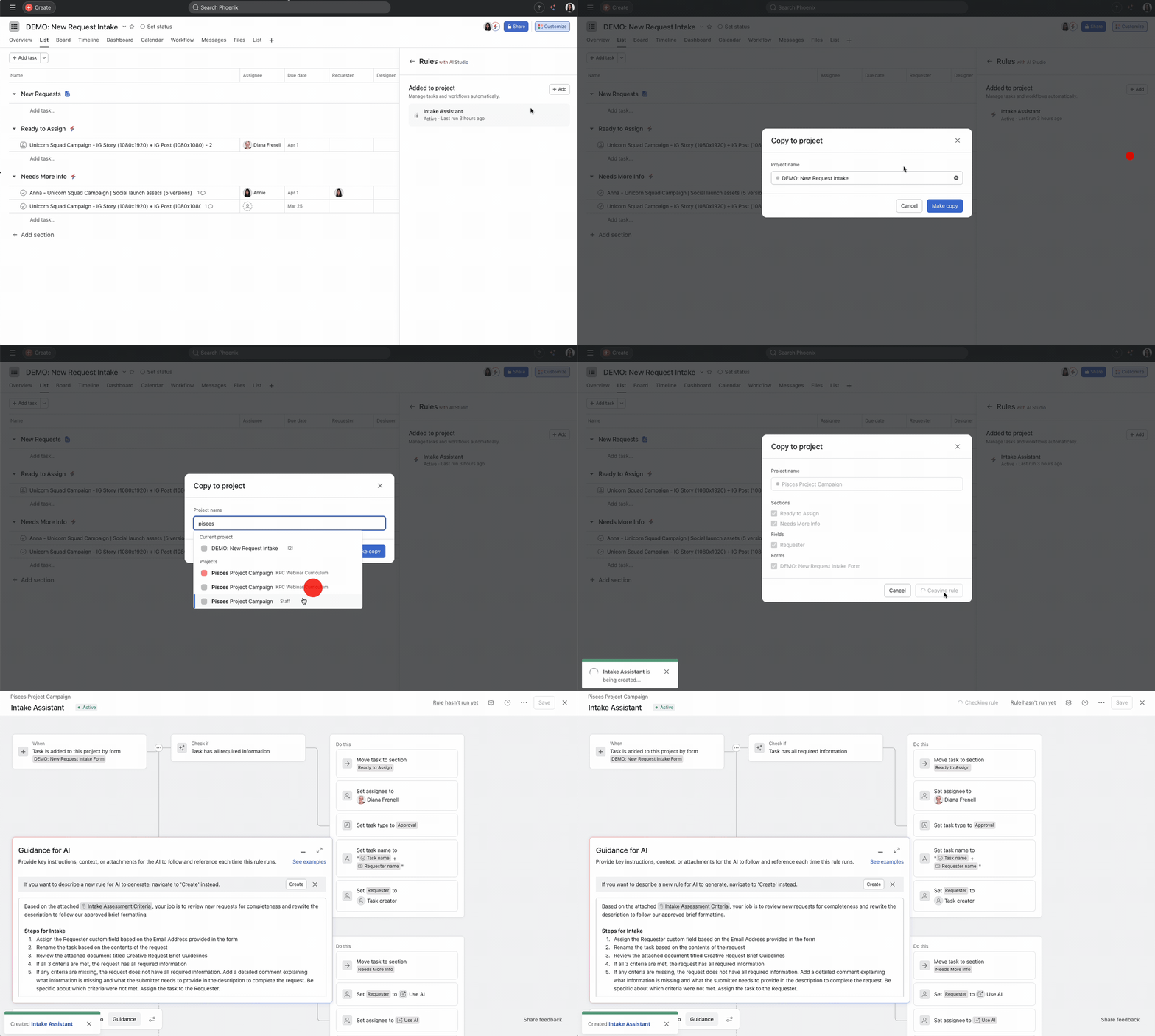
🔄 Rule Duplication and Reordering
You can now duplicate existing rules to save time and reorder them in the customize menu.
💙 i.DO Tip: When building complex workflows, create a “template rule” and duplicate it.
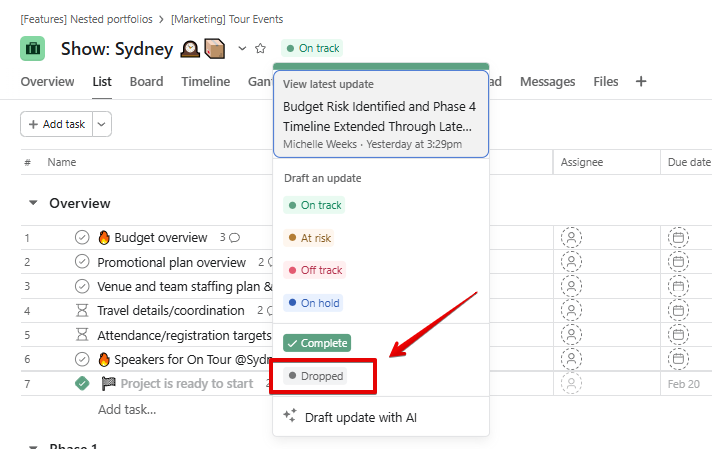
📉 New “Dropped” Status Option
Projects and portfolios now include a “Dropped” status to clearly mark work that is no longer moving forward.
5. Enterprise & Admin Management
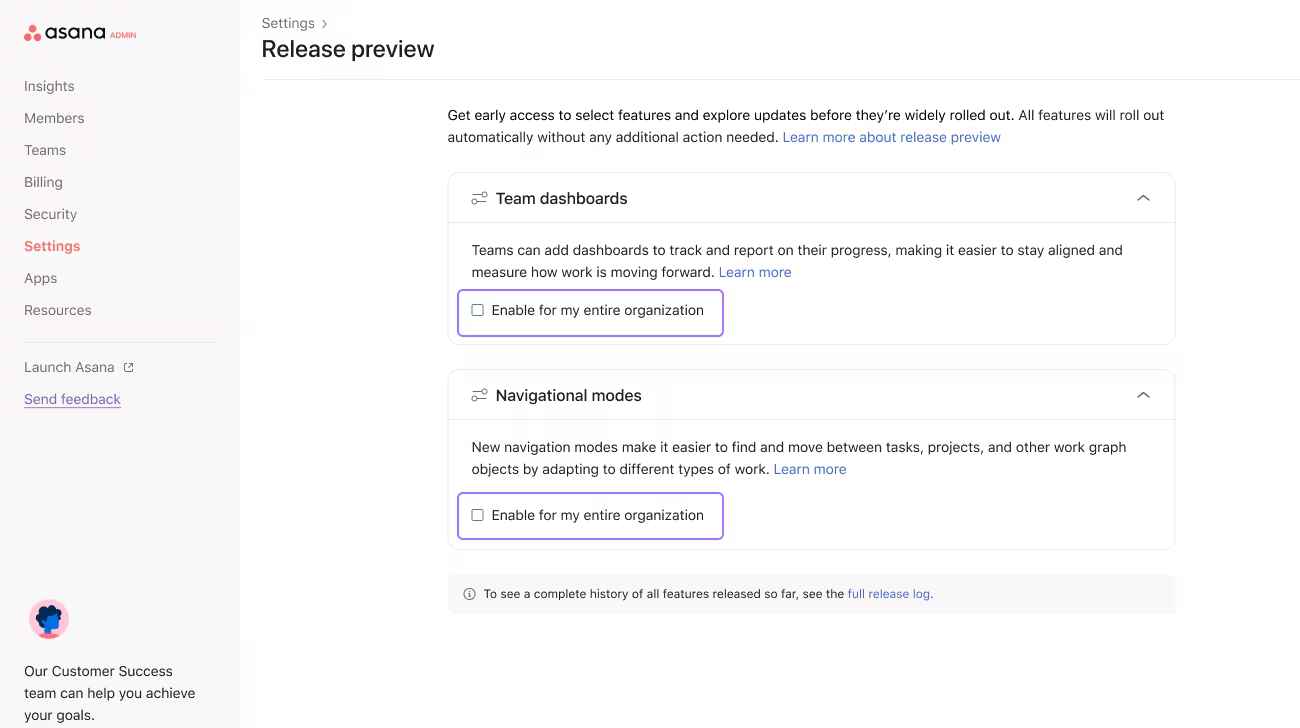
🧪 Release Preview (Enterprise Only)
Admins can now preview and test upcoming features in the Admin Console before they are rolled out to the whole team.
💙 i.DO Tip: Time to launch the new enhanced sidebar (“Navigational modes”) and explain it to your team (more info in the forum)
📂 Share Project Access via Portfolios
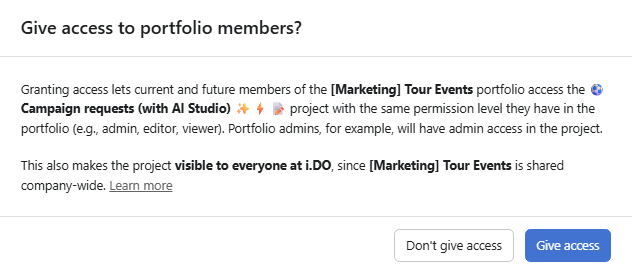
Portfolio members can now automatically receive access to all projects within that portfolio for easier permission management.