


1. Dash, AI Teammates & Automation
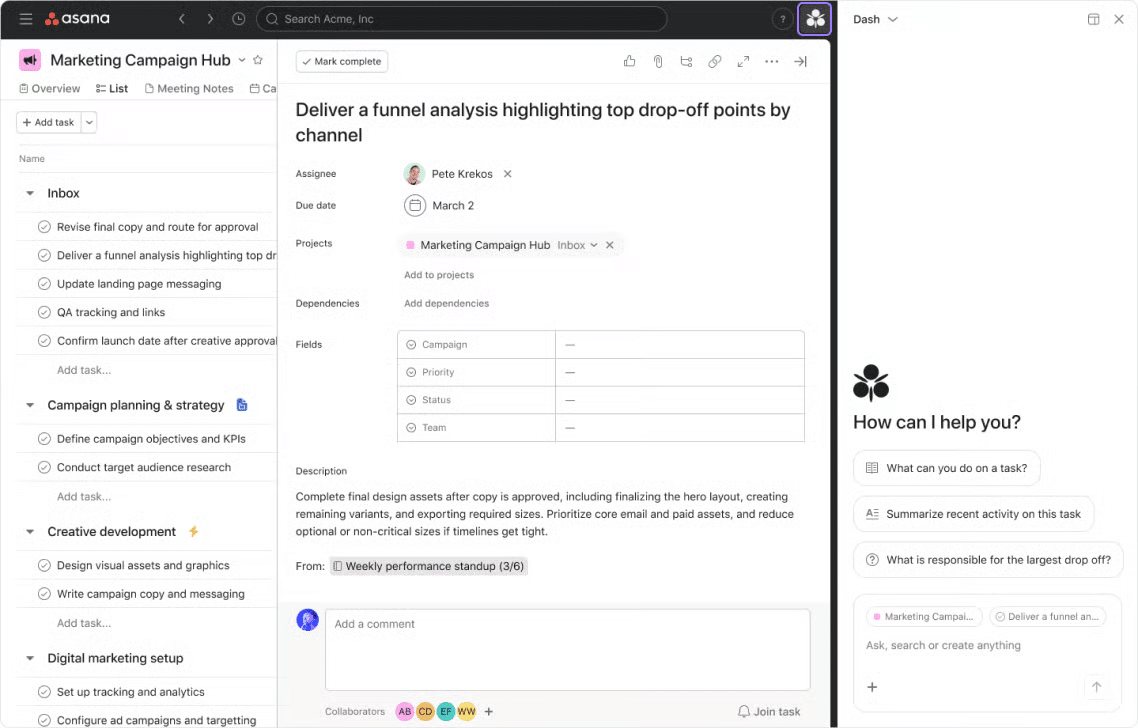
💬 Chat with Dash: find answers and act on work
Ask Dash to find hard-to-find tasks, document a project setup, or make bulk updates across tasks.
💙 i.DO Tip: Ask from the right page: use My Tasks for day planning and a project for project questions. Start with a low-risk bulk action, then review the results.
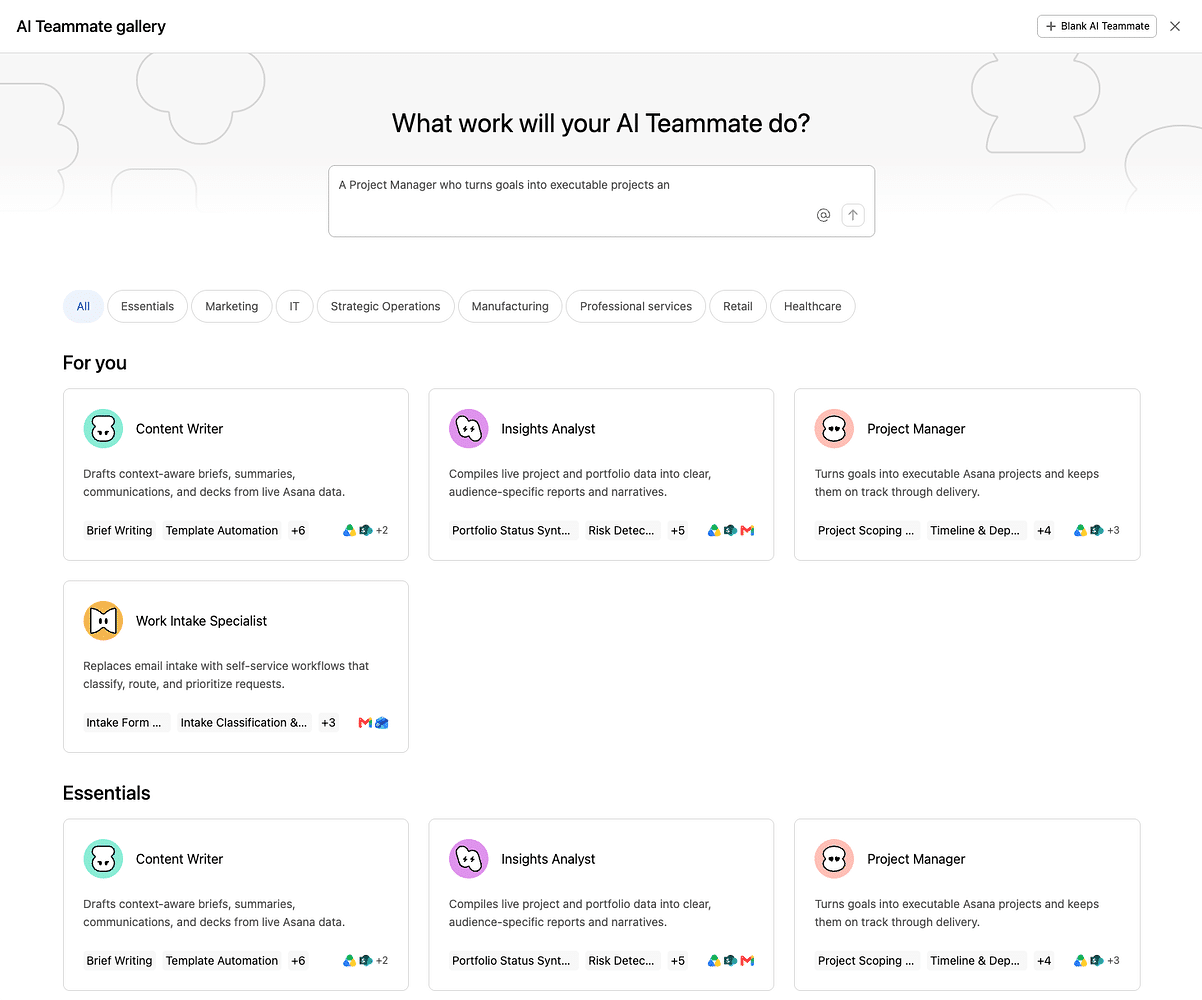
🧞 AI Teammates: find a match and manage access on mobile
Project Analyzer recommends an AI Teammate for work already in your project, with suggestions to review before anything is set up. On mobile, the Access widget lets you grant or revoke AI Teammate access to projects, portfolios, goals, teams, pages, and attachments.
💙 i.DO Tip: Review the recommendation first, then grant only the access that work needs.
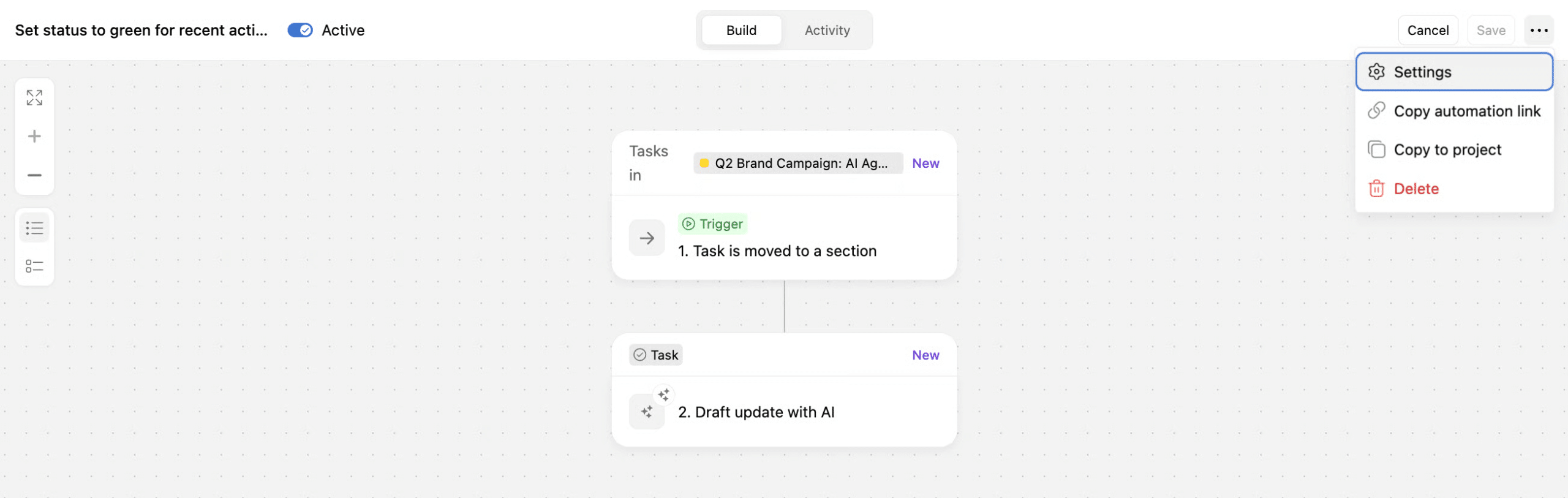
⚡ Automation builder & permissions: build around today’s access
Rules are now called automations, with a new vertical Canvas for building multi-step workflows across tasks, projects, and portfolios. What’s new this month: automations now run with their owner’s current permissions when triggered, rather than the access they had when they were created.
💙 i.DO Tip: Map out one repetitive handoff in the Canvas, then check that its owner still has the access the automation needs. A little permission housekeeping goes a long way.
Content by i.DO
🔎 Find the right Asana plan for your team
Choosing an Asana plan should not mean paying for features your team will not use or working around limits that slow you down. Our guide compares Personal, Starter, Advanced, Enterprise, and Enterprise+ to help you find the right fit for your workflows, visibility, and governance needs.
2. Enterprise Exclusive
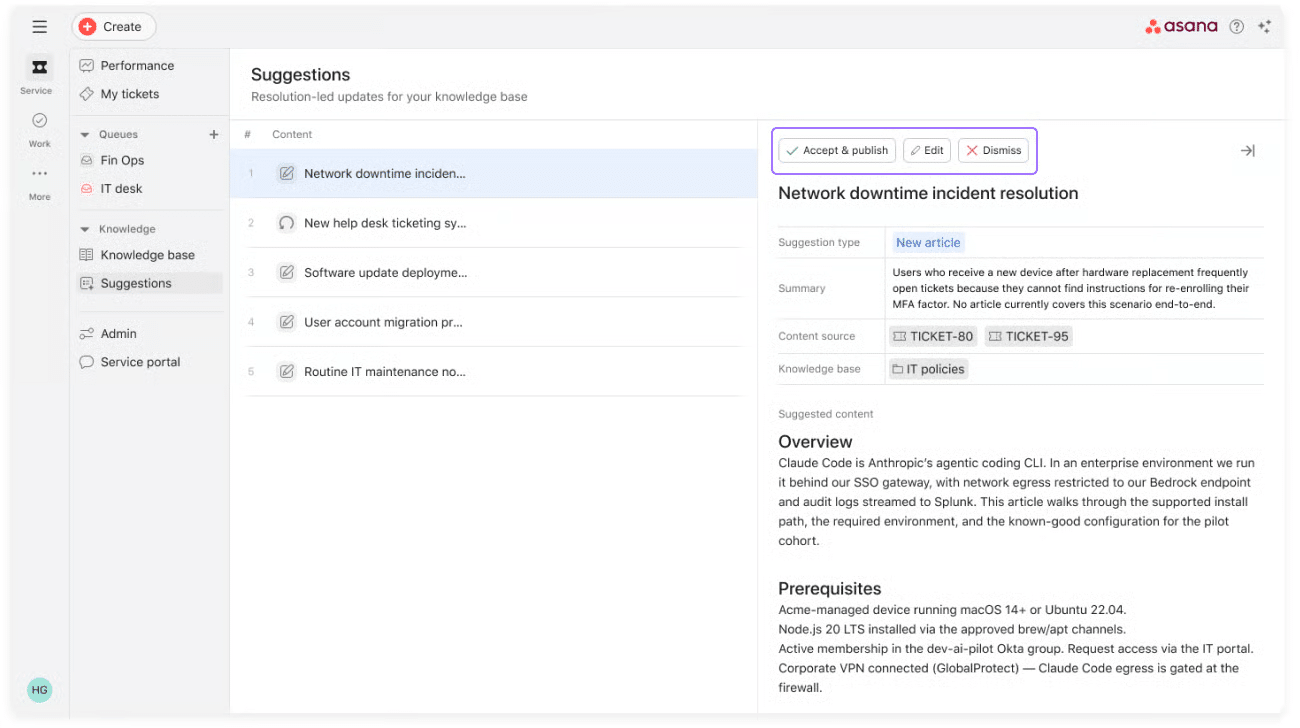
🎫 [New Asana add-on] Asana Service Management
Built for internal service teams such as IT, HR, facilities, and legal, Asana Service Management brings employee requests from Slack, email, forms, and a web portal into unified queues.
AI can resolve routine questions using the team’s knowledge base, while requests needing a person are routed with their context intact. When a request grows into a larger initiative, teams can turn it into a project without losing that context.
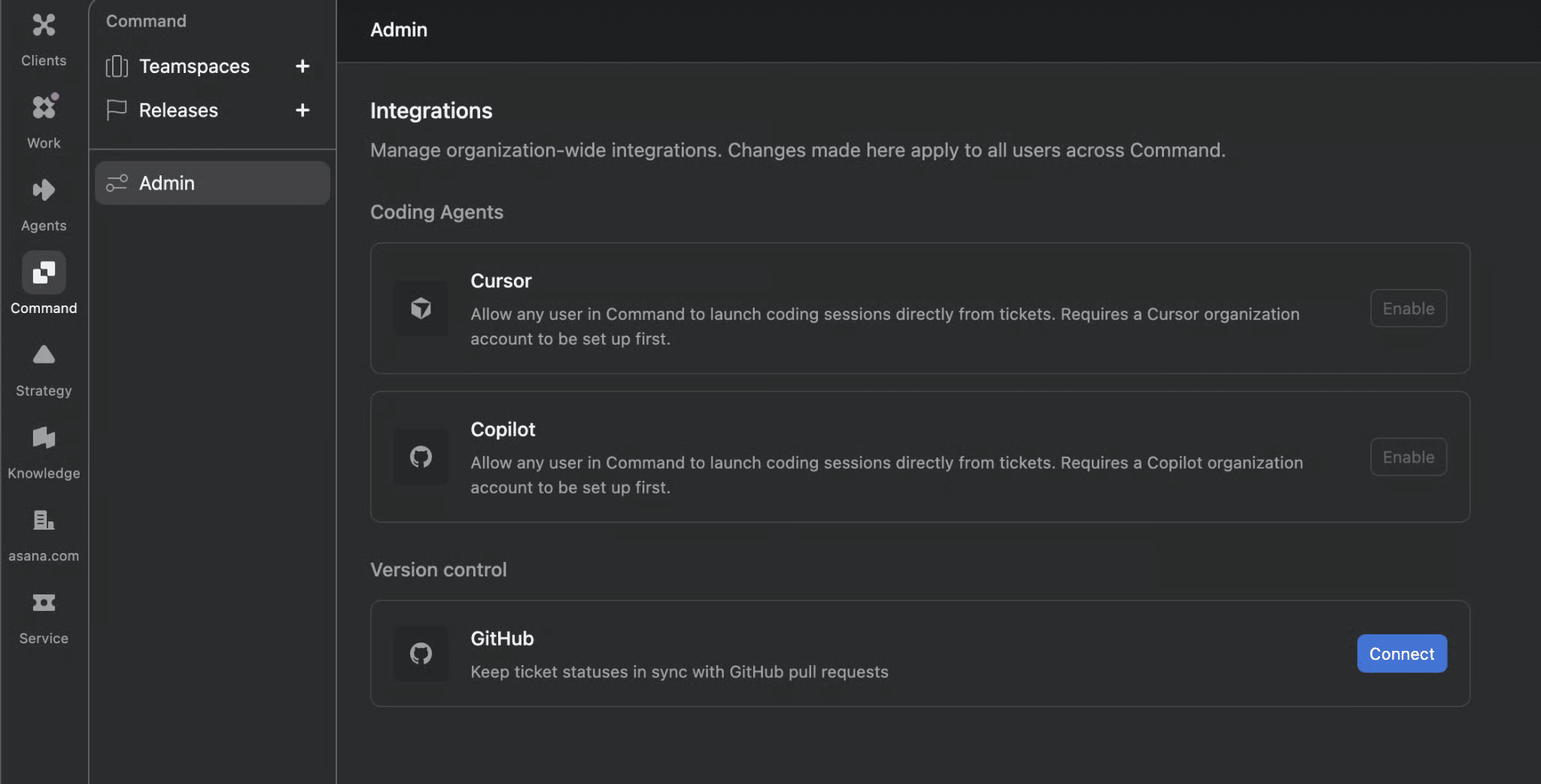
🛠️ [New Asana product] Command by Asana
Command by Asana is built for engineering teams coordinating development work and priorities. Teams organize work on a priority-ordered board, use auto-scheduling to plan it, and track progress through initiative-level reporting.
🏢 Domain personalization: answer company questions once
Enter your company’s industry in the Admin Console during onboarding for a new domain, so people joining later can skip repeated company questions.
💙 i.DO Tip: Confirm the industry with your onboarding lead at the start. Future joiners will have one less question to answer.
⭐ Find the right Asana solution for your team
Explore the new products “Client Management”, “Command”, and “Service Management” with our guidance.
Whether you want to improve client delivery, bring engineering priorities into focus, or give service requests a clearer path, our specialists can help you find the right fit and show you how it works.
👉 Get a tailored demo of Asana’s new products
3. Workspace Experience & Project Planning
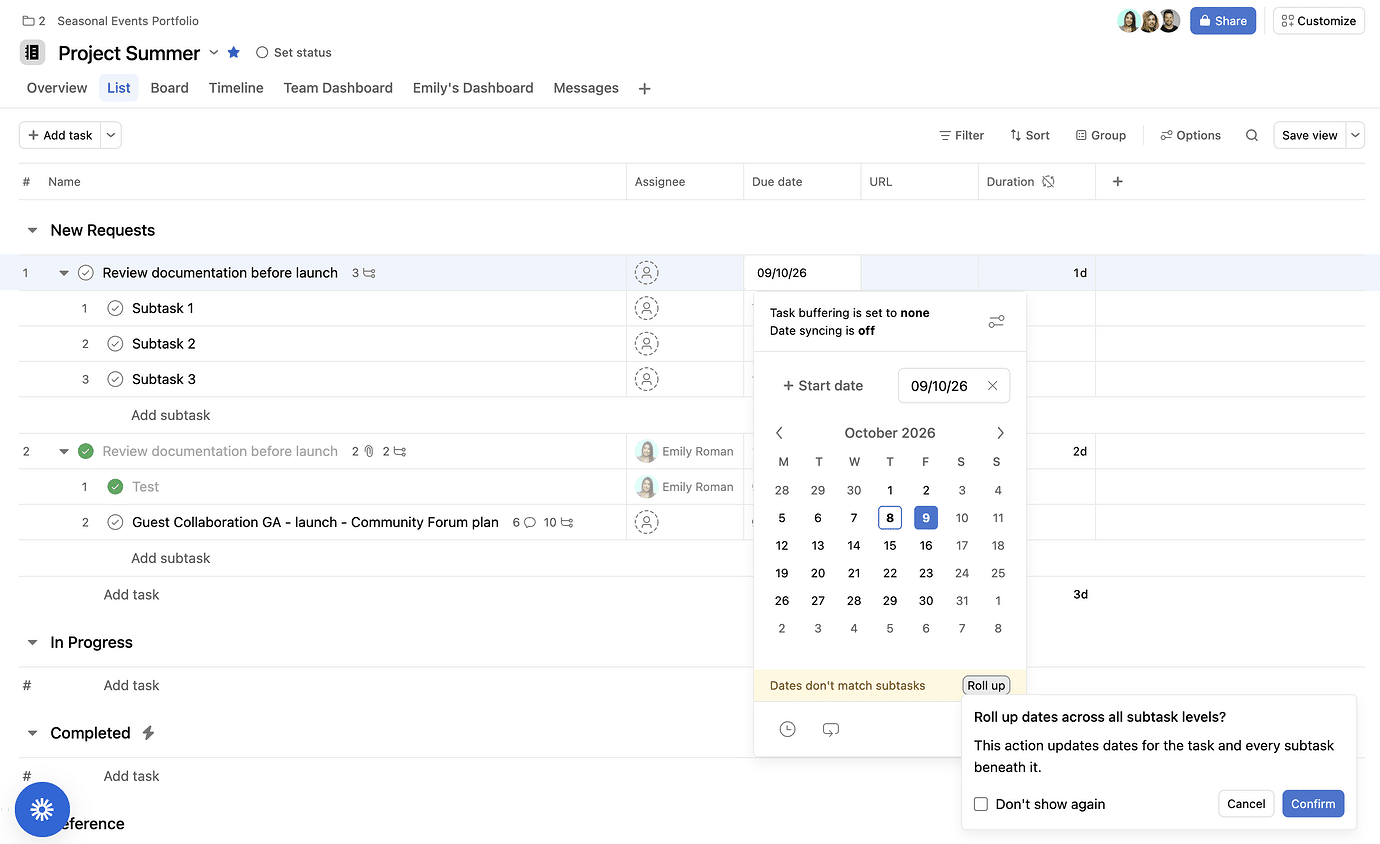
📅 Subtask date rollups: keep dates aligned
Manual subtask date rollups align a parent task’s start and due dates with its subtasks, with a warning when a subtask extends beyond the parent’s dates.
💙 i.DO Tip: To roll up all tasks at once, use the Due date column menu. Use with caution: project-wide rollups can’t be undone.
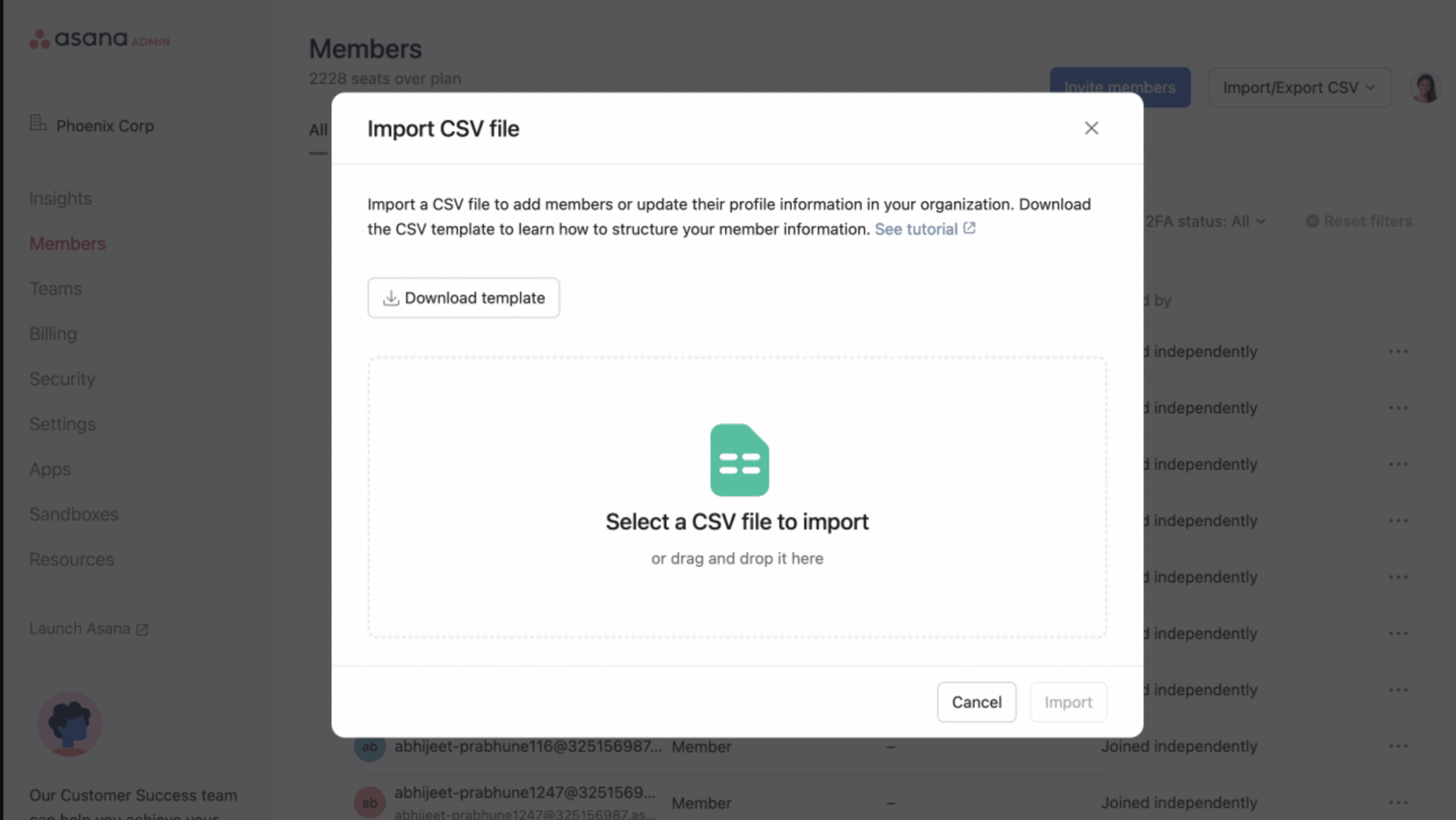
📥 CSV user import: prepare members and product licenses in batches
Batch-add members and set their details and license types through CSV user import, including licenses for new products such as Command.
💬 (Upcoming release) Asana for Microsoft Teams: a smarter, more reliable connection
The integration is being upgraded from November 3 to December 18, with users able to choose which Asana domain they connect, more capable AI chat, and improved reliability.
Users will need to sign in again once; the workspace-switching and invite commands are being retired, and sharing a task link will no longer automatically add chat members as followers.
🧰 Tools & Add-ons Corner
Each month, we test an add-on that can make your Asana experience even better.
This month: ✅ EasyTasker.io for Asana
Create and complete your Asana tasks from anywhere.
CREATE: Capture work instantly using on-screen buttons or keyboard shortcuts. Turn emails, web pages, social posts, and other follow-ups into Asana tasks.
COMPLETE: Then use FocusList to see and complete your work from anywhere.
Move Fast. Stay Focused.™️